

English
Modify the signature deadline of a document
When an incomplete file has expired status, meaning the document signature deadline has passed, the signatories can no longer sign the documents because the link sent by email is no longer valid. If you wish to obtain the missing signatures, you must modify the document signature deadline in the eZsign file and resend the documents.
- From the eZsign Folders List, you will be able to see all expired documents by adding the Expired filter.
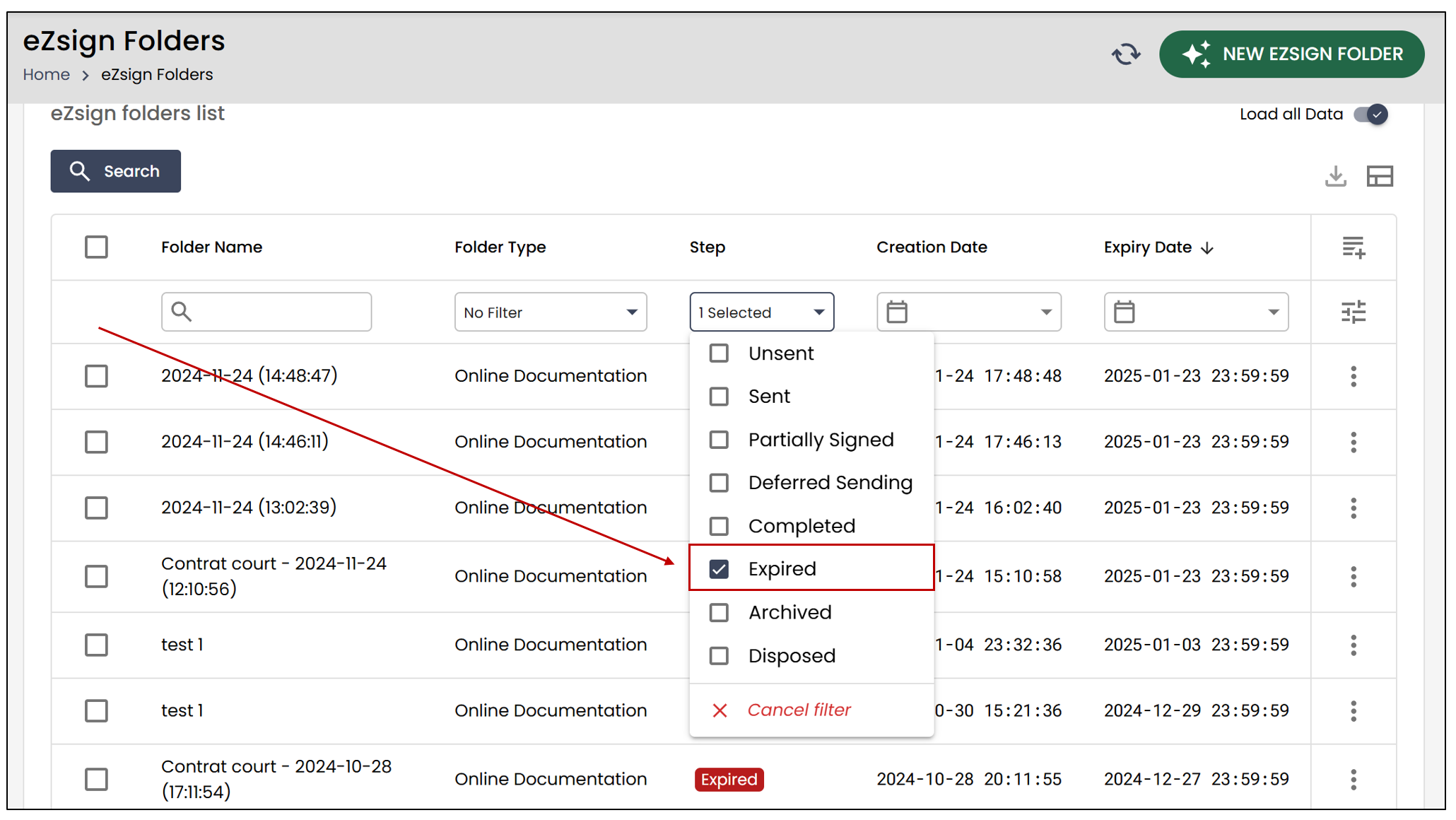
- Select the desired folder.
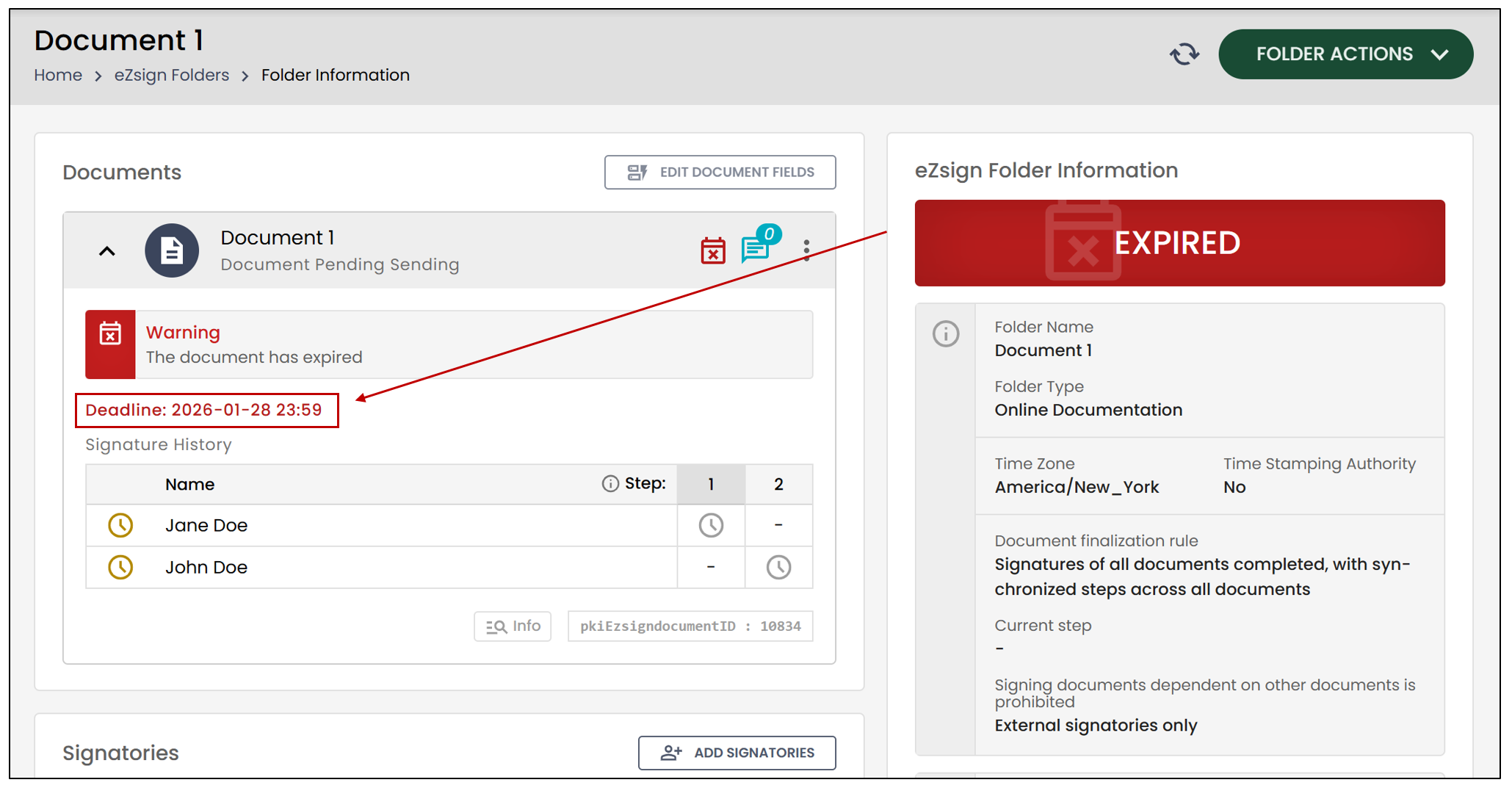
NOTE: The document’s signature deadline appears in red when it has passed.
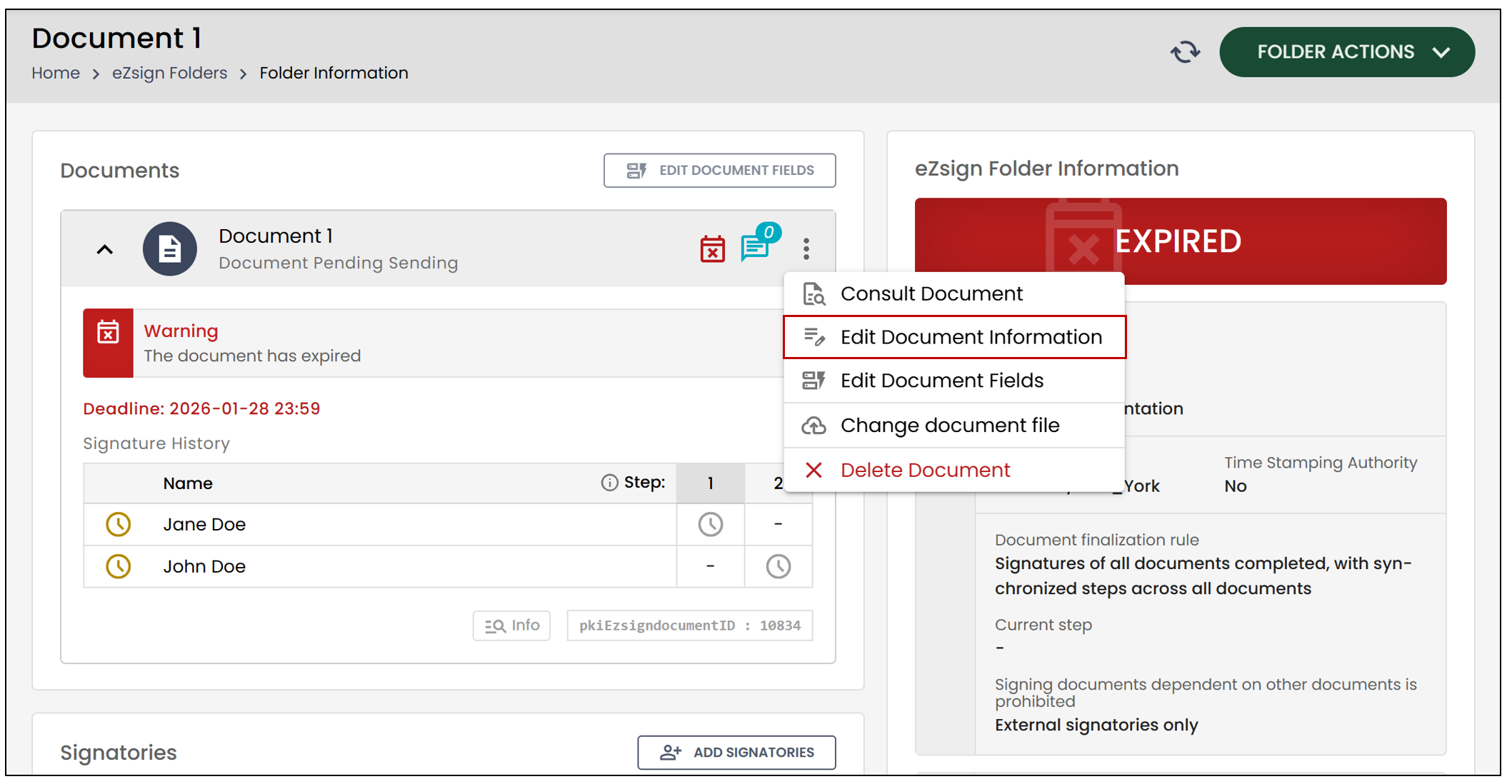
- Click on the three vertical dots to the right of the document, then select Edit Document Information.
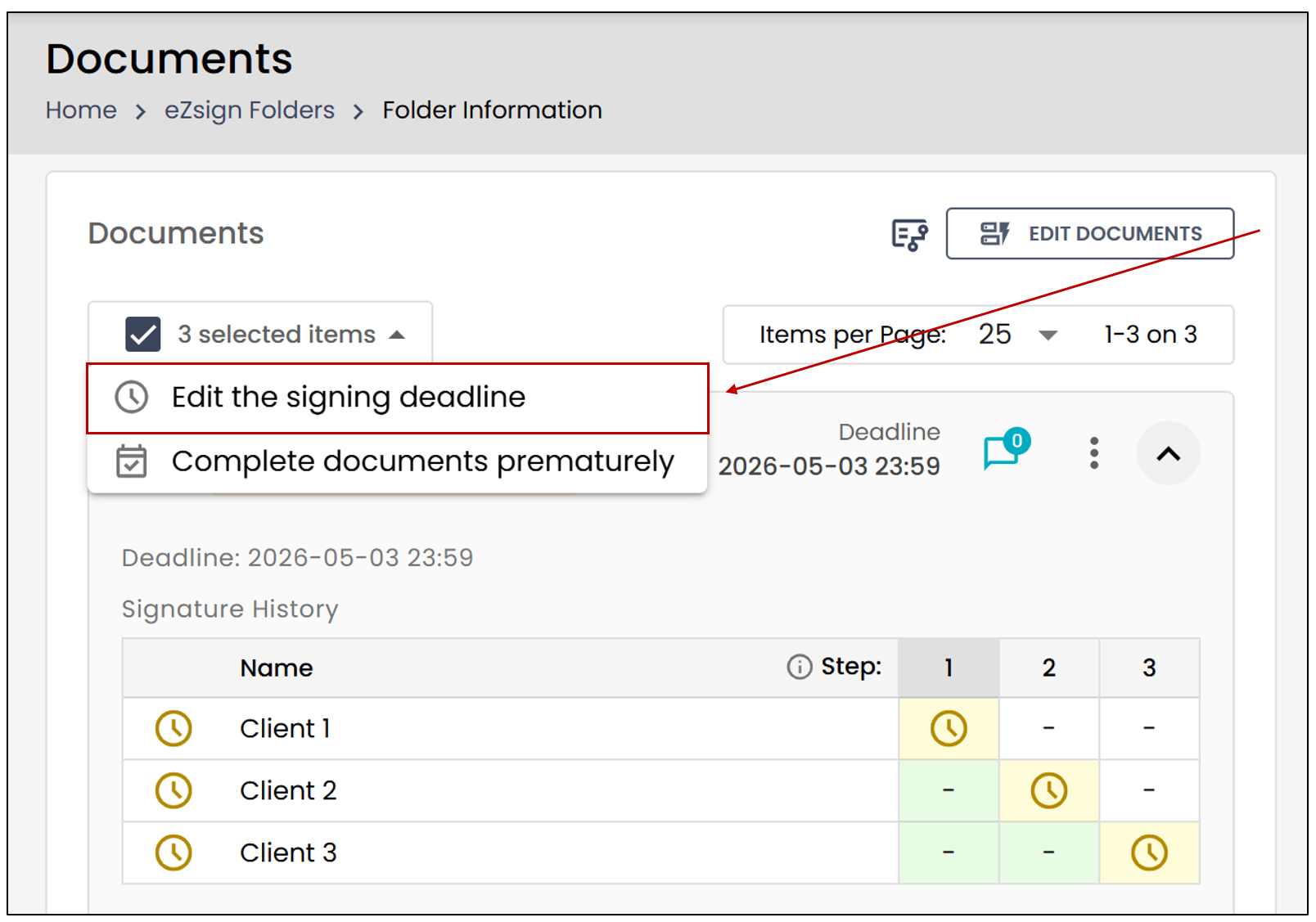
Thanks to the new Bulk Actions feature, you can now modify the signing deadline for multiple documents in an eZsign folder.
- Check the box to the left of each desired document, then click Edit the signing deadline.
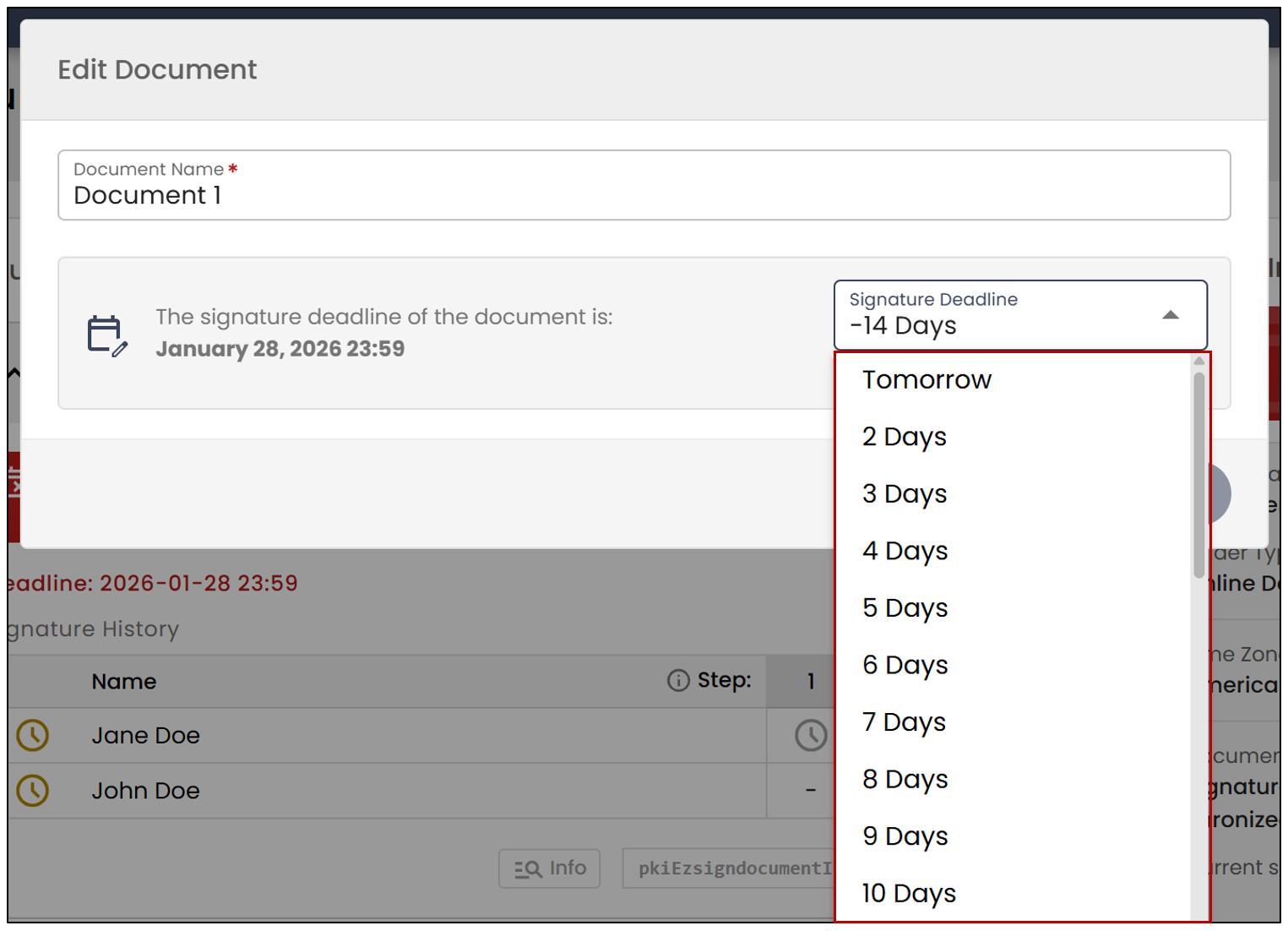
- Select a number of days (1 to 60) in the Signature Deadline , and the document’s signature deadline will be automatically set.
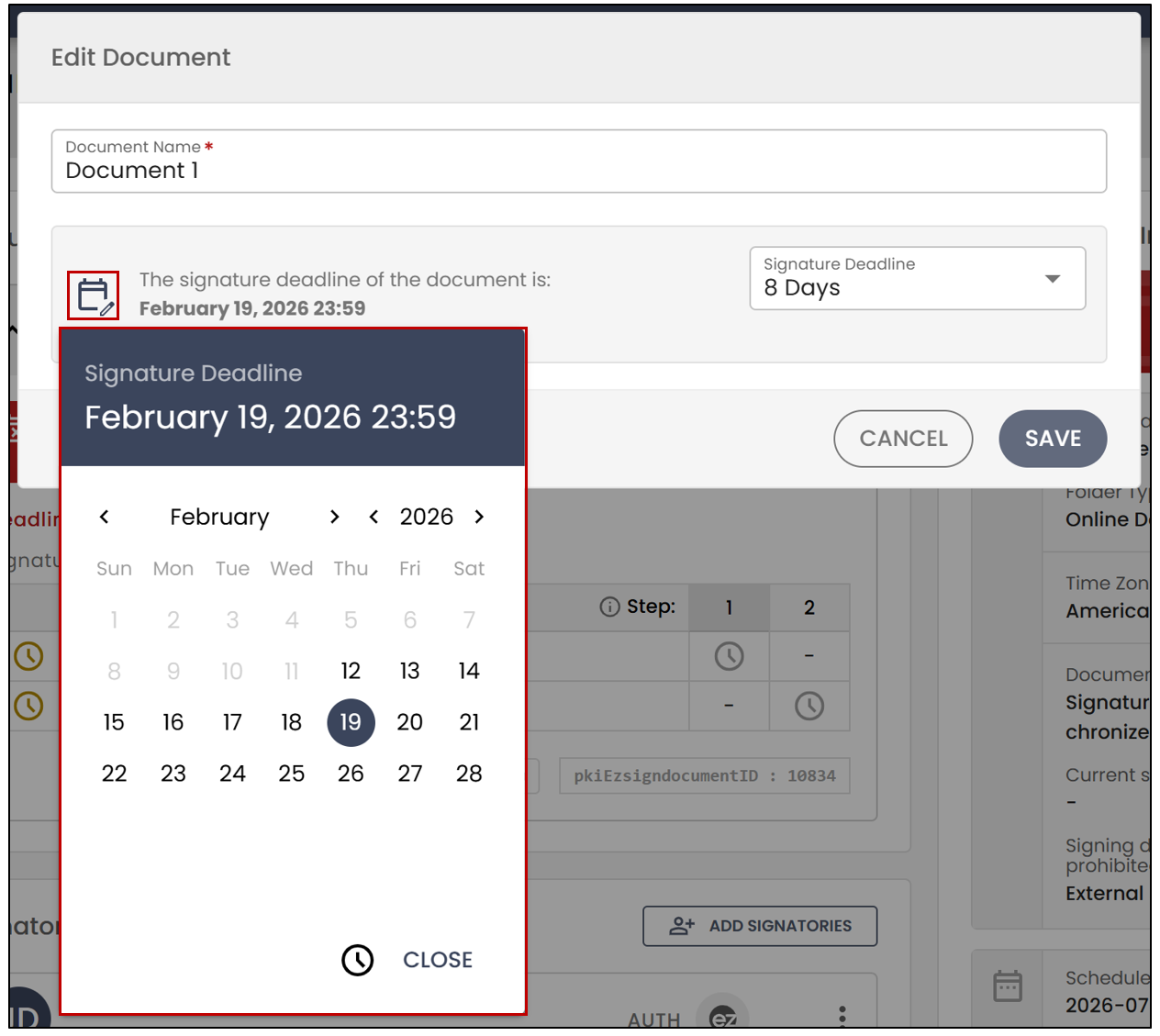
- You can also manually enter the document’s signature deadline (limit of 60 days) by clicking on the calendar to the left of the signature deadline.
- Click on Save. You can then resend the documents to the signatories. For more information, see the article Sending Documents to Sign.
NOTE: If necessary, you can also modify the fields before sending the documents. For more information, see the article Adding/Editing/Deleting a Field in a Document.