
English
Optimization of form field groups
Thanks to the new eZsign feature, it is now possible to modify form field groups in a dedicated section.
Create a Form Field Group
From the main menu >> eZsign Folders >> New eZsign Folder.
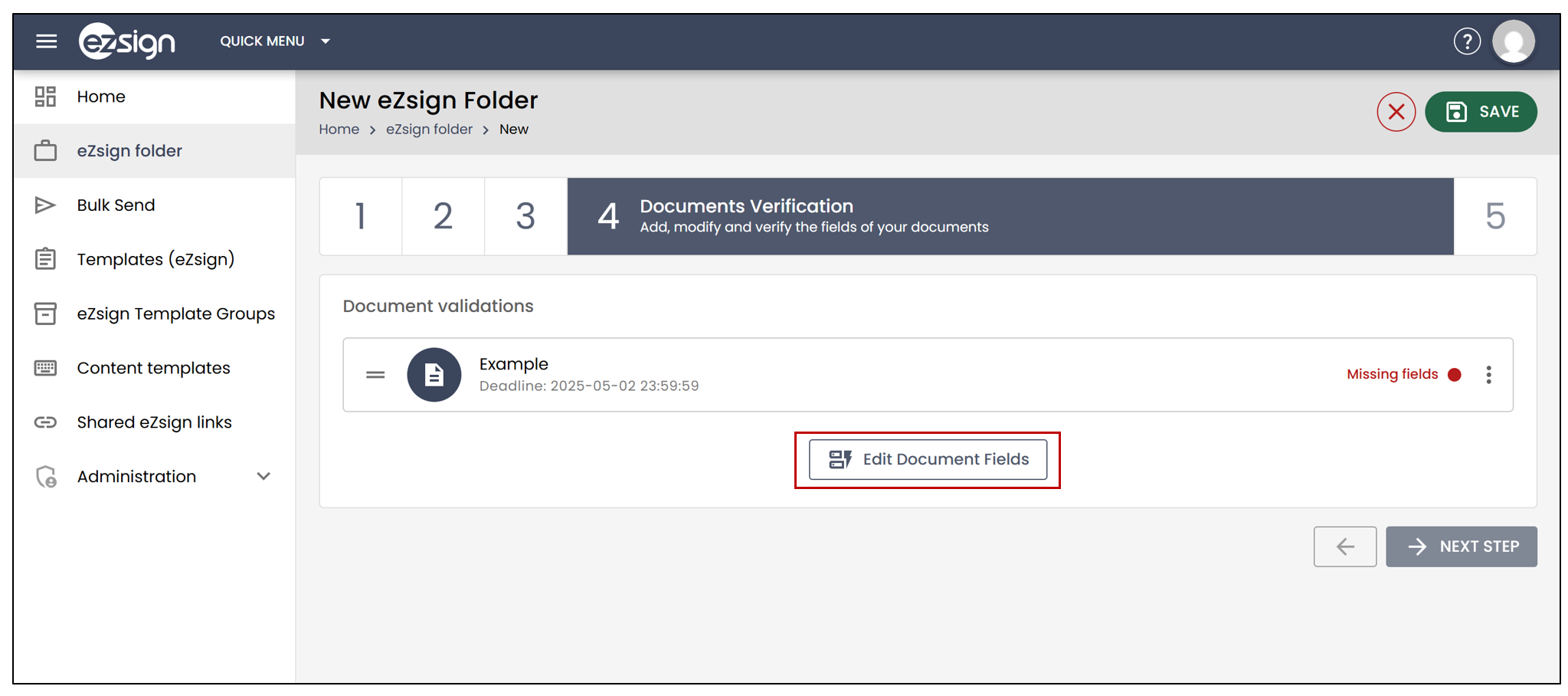
- At the Document Verification step, select Edit document fields.
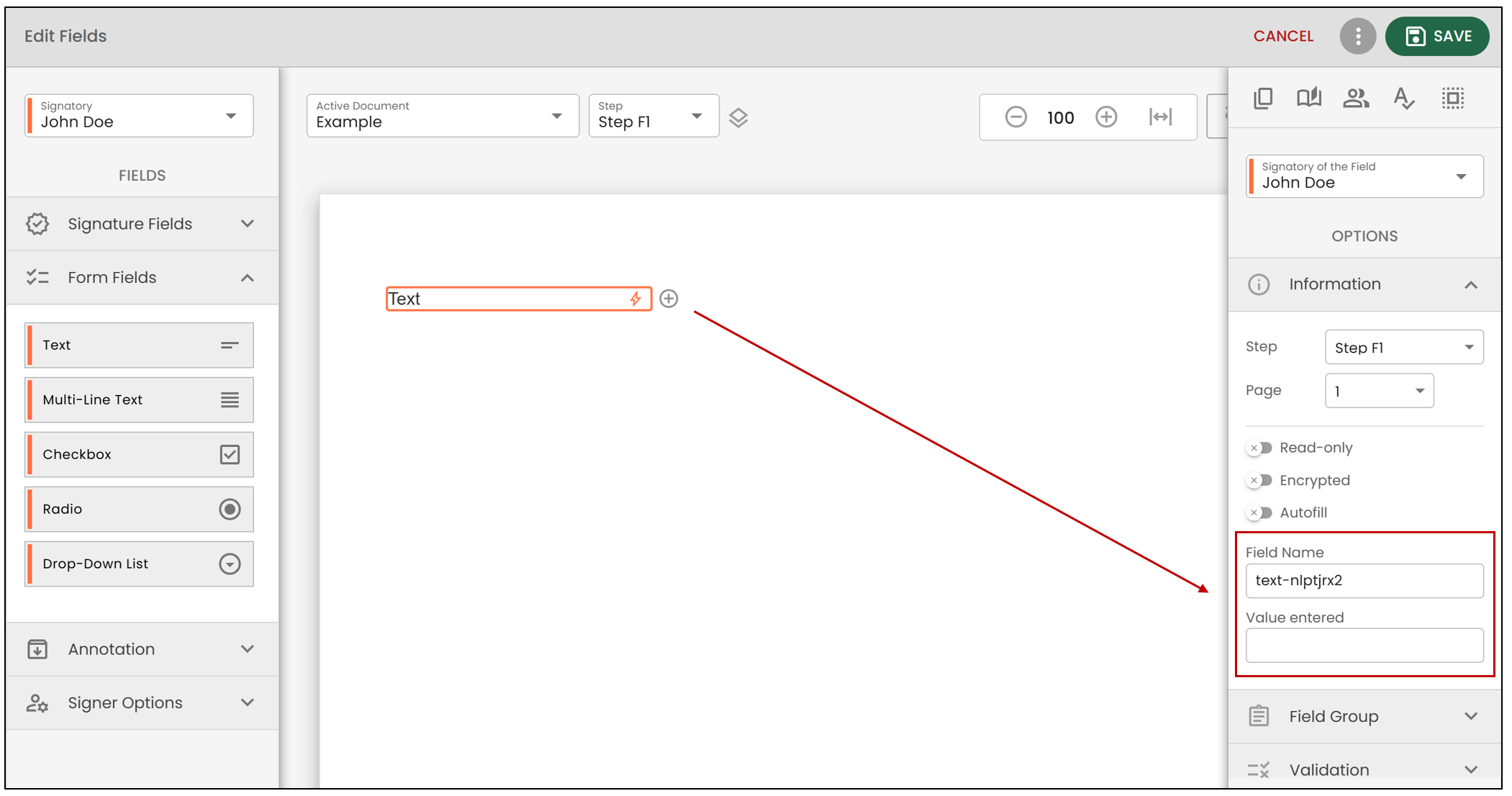
- In the form field Information section, you can modify the Field Name , as well as the Value entered , which is the value which will be visible to the signer.
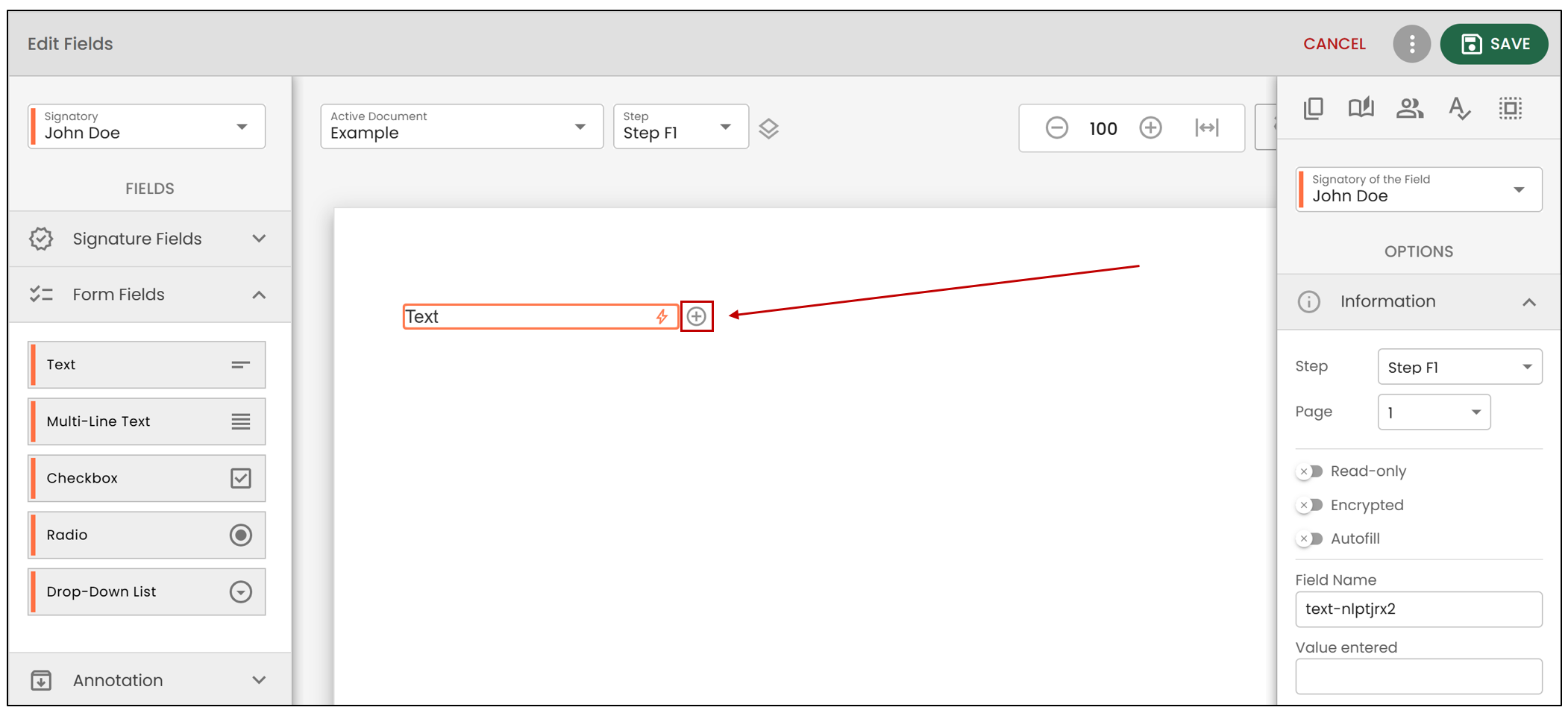
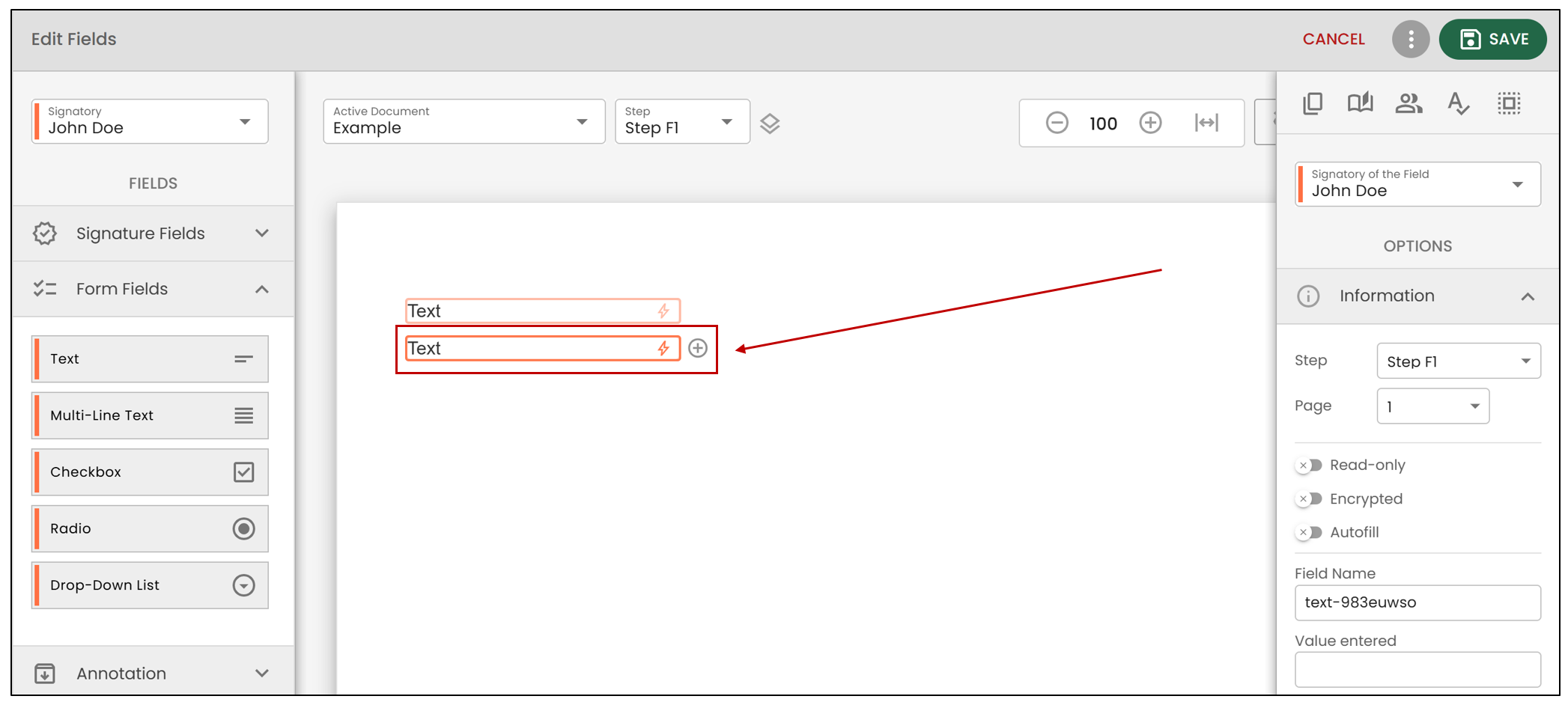
- By clicking on the "+" button located to the right of a form field, you can create a copy of the field without adding it to a field group. It will then be considered as an individual field.
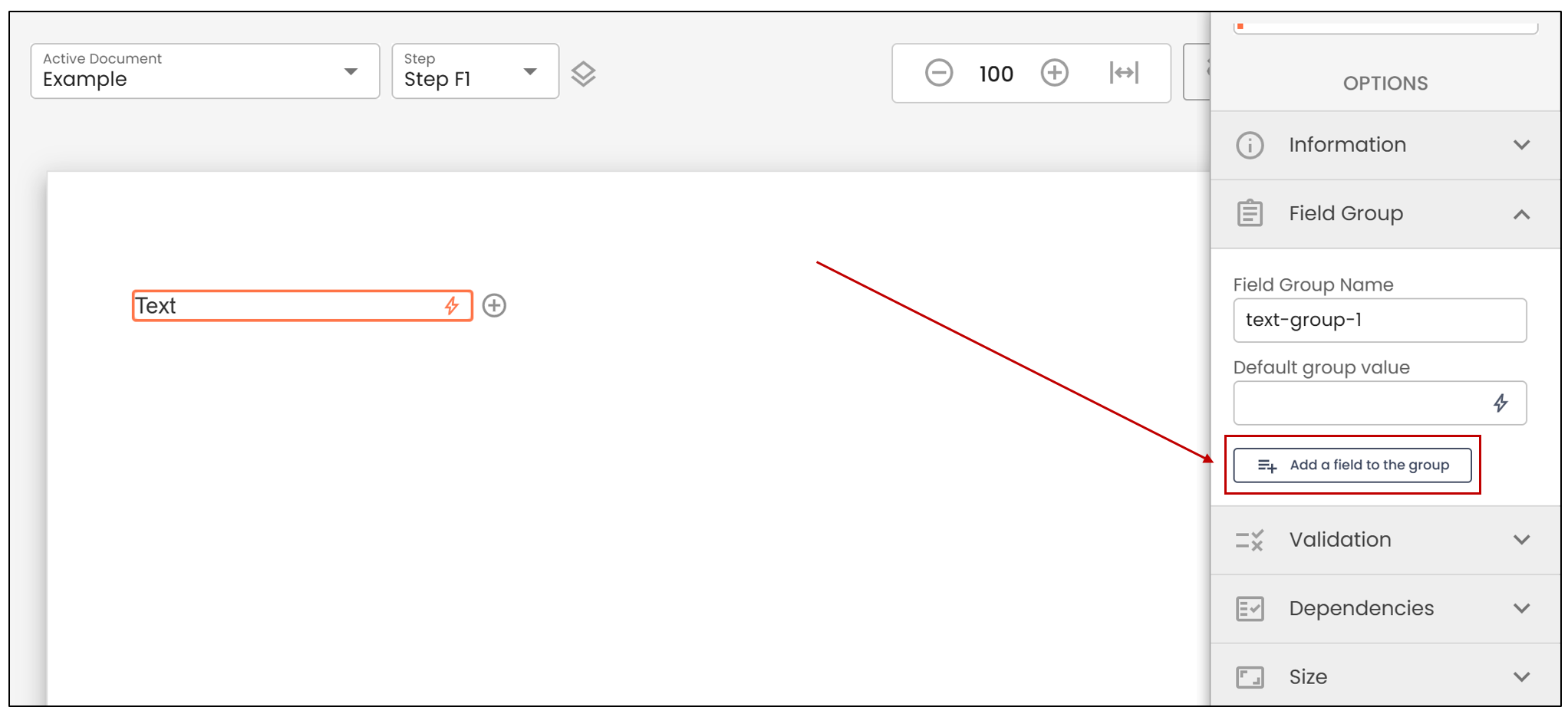
- If you wish to create a field group, select the desired field, then click on Add a field to the group in the Field Group section.
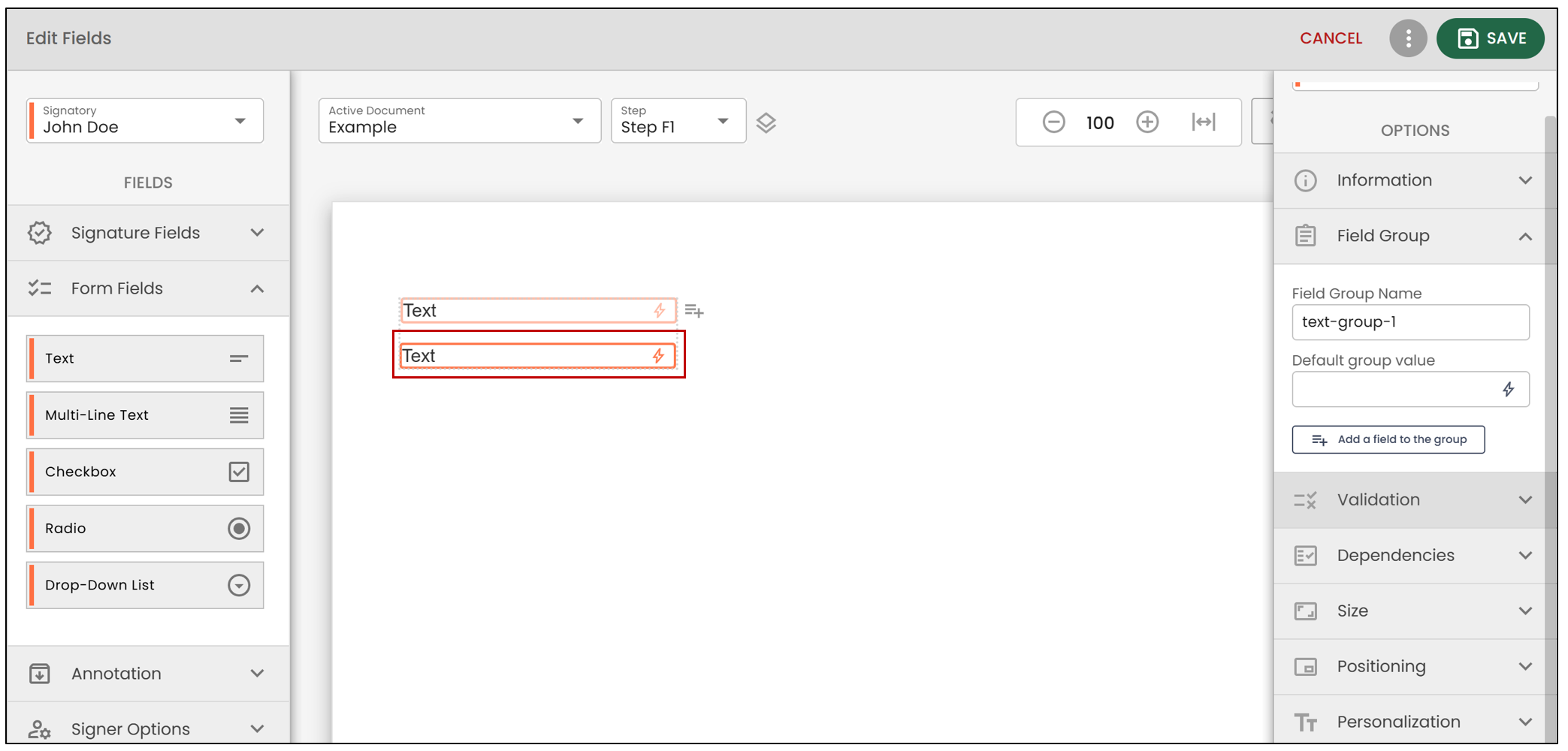
- A field will then be added to the Field Group.
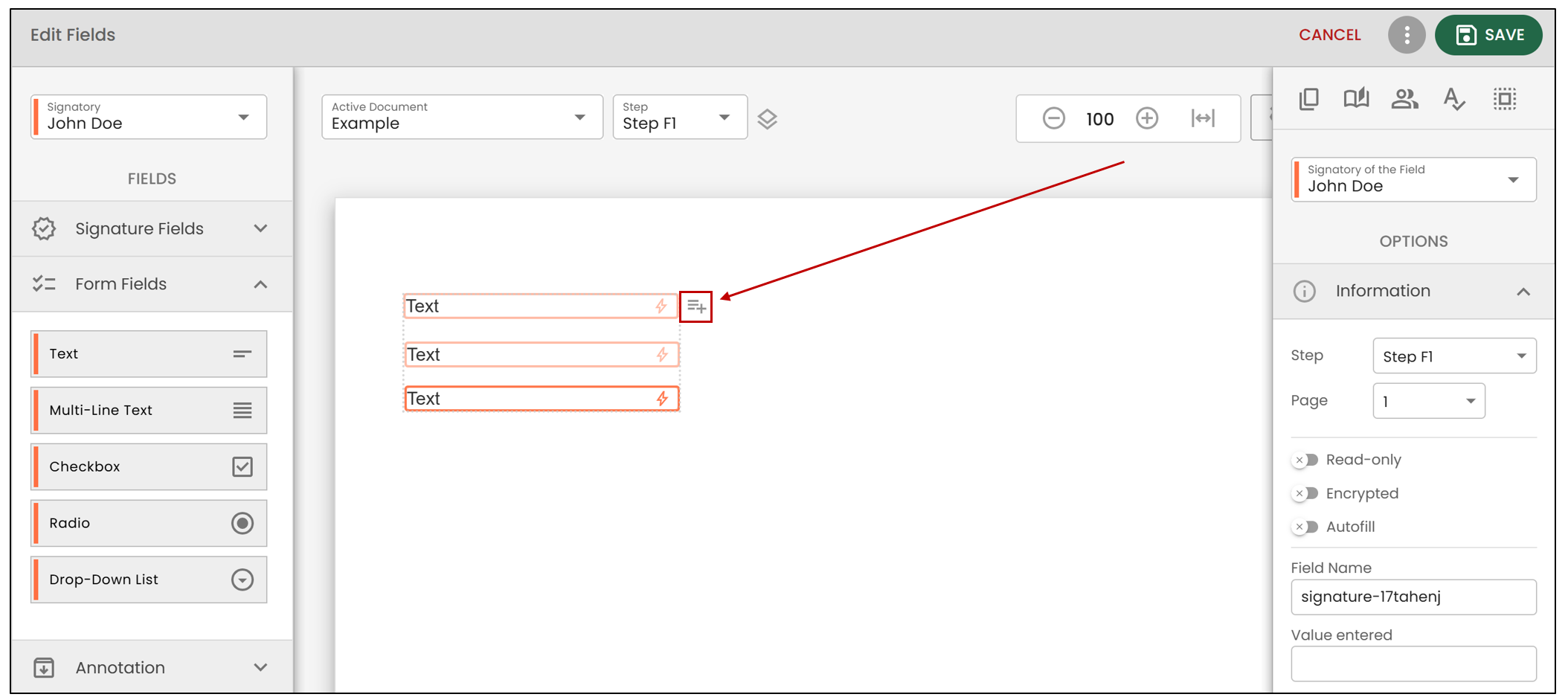
- If you wish to add more items to this field group, click on the

icon.
- When you are finished, click on Save.
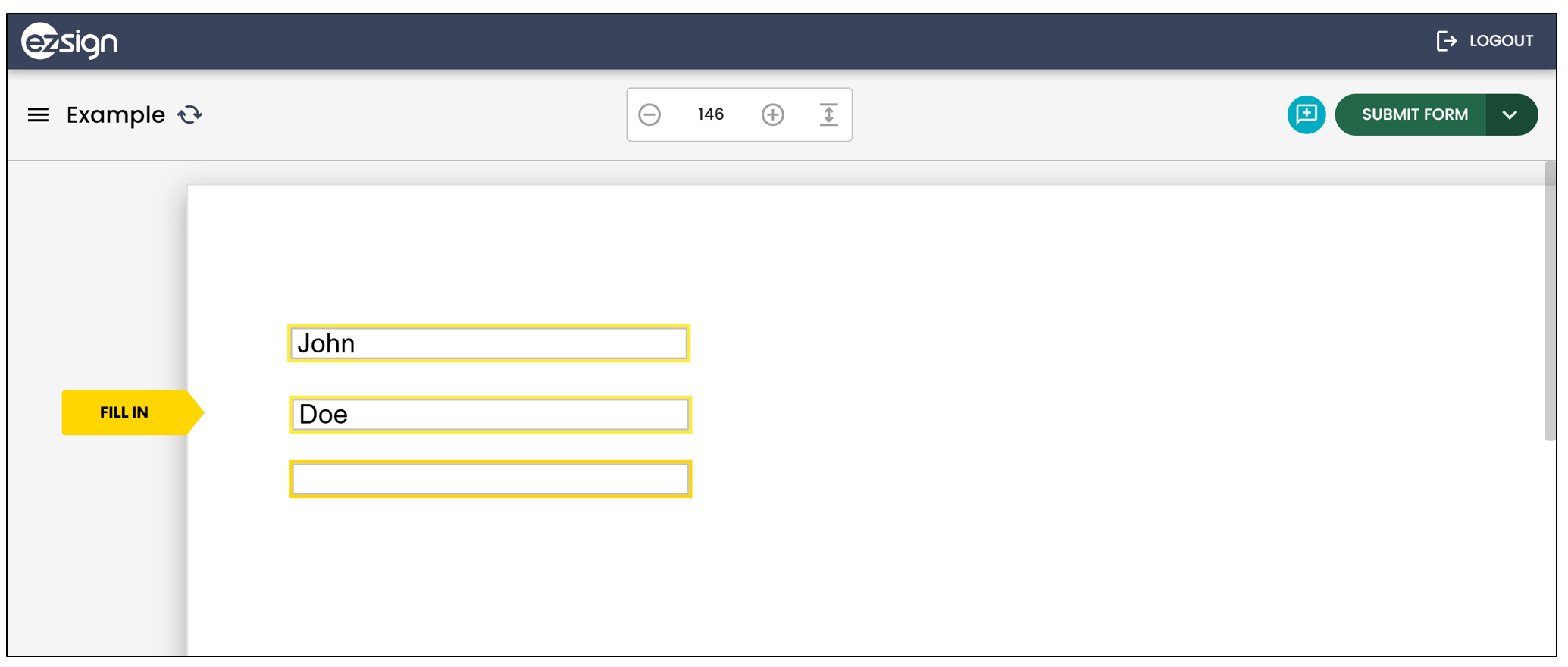
Here’s what the form will look like when the signer fills it: