

English
Electronic Evidences
When a document is completed, it is possible to view the electronic evidence and the complete electronic evidence.
Electronic Evidence
From a completed folder, in the "Signature Status" section, click on Actions >> Download Electronic Evidence, or ;
From the e-mail received when all parties have completed the signatures in the document, double-click on the PDF file (electronic evidence).
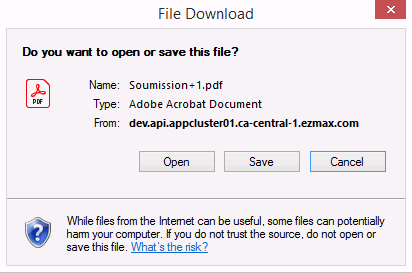
- Click on Open or Save.
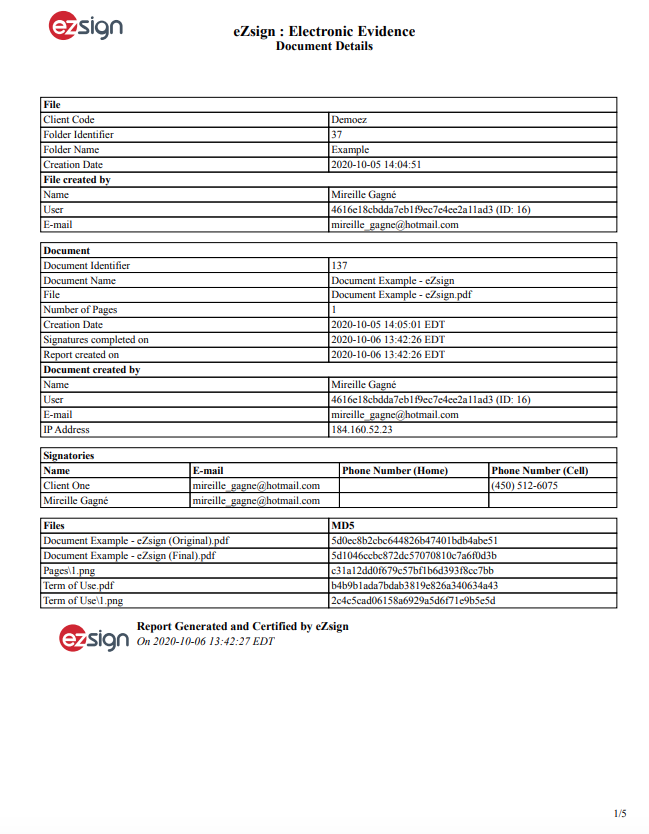
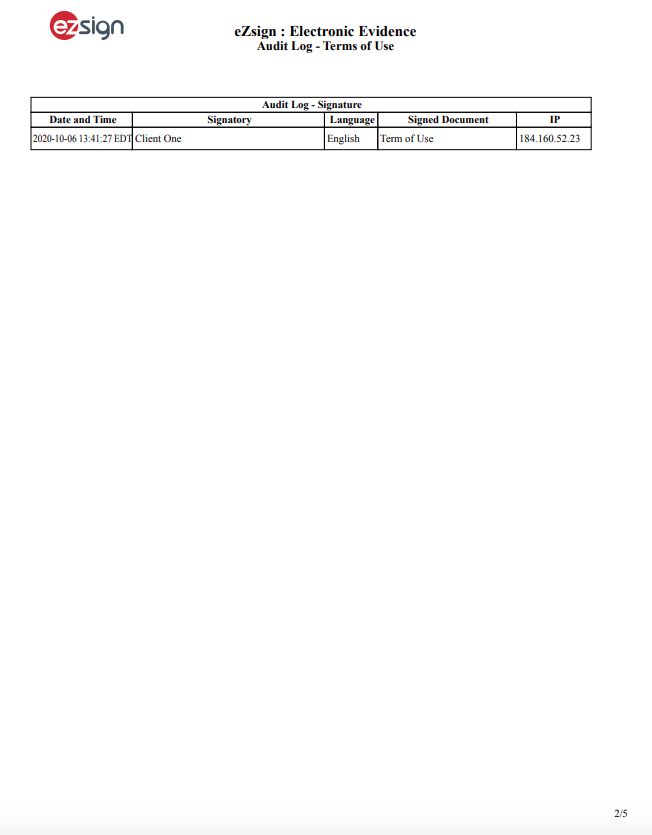
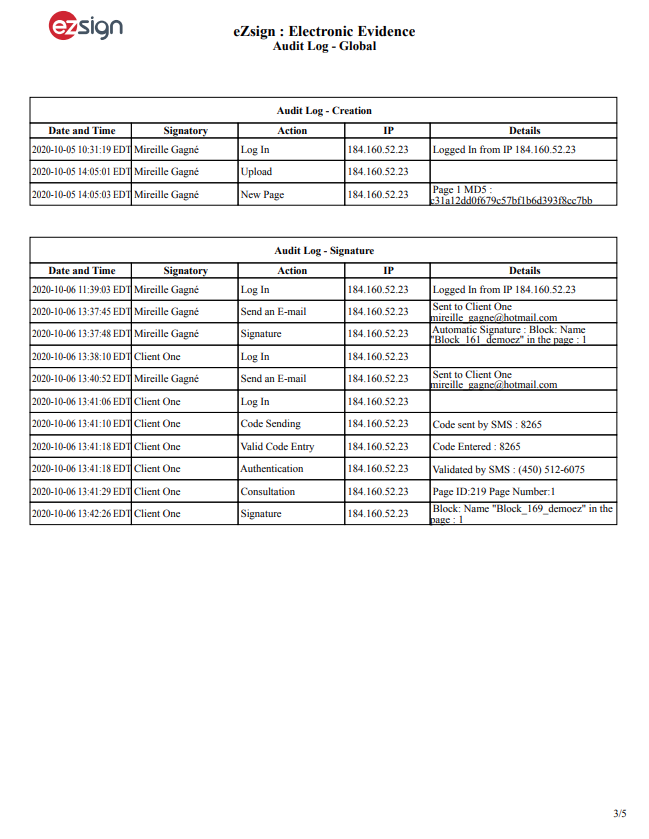
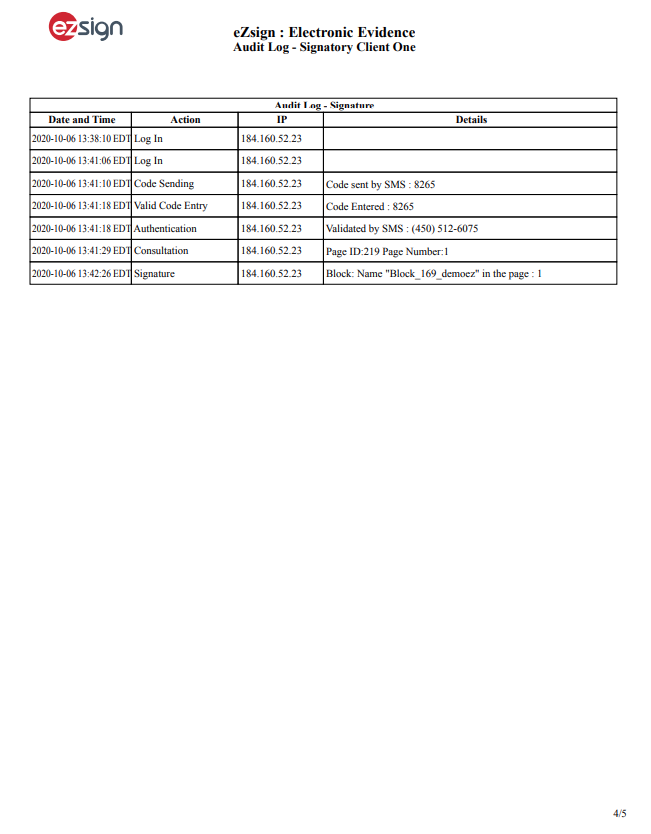
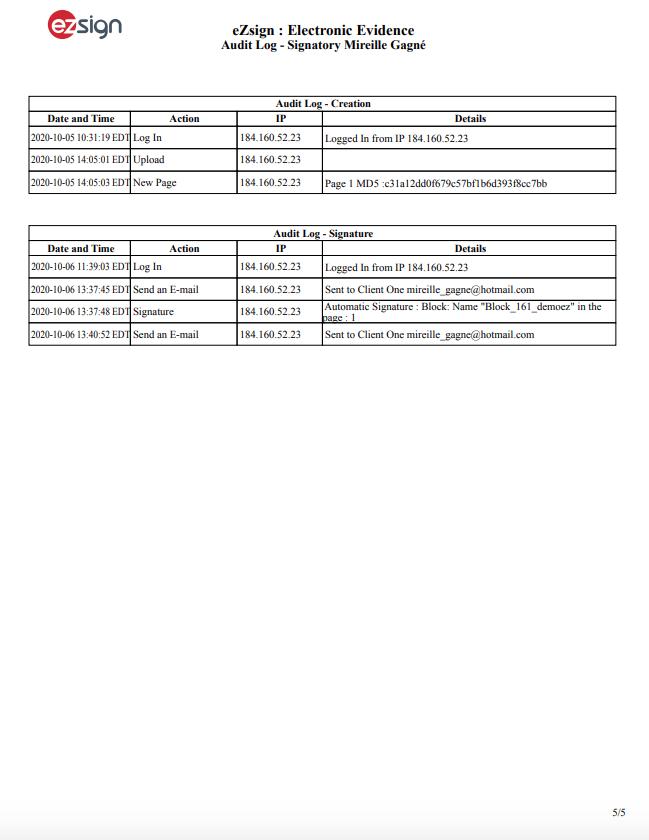
- You will be able to see all the detailed information related to the completed document:
Document Details: Date of creation and creator of the folder and document, contact information of the signatories, name of the files, etc.
Audit Log -Terms of Use: Names of signatories with the date and time of acceptance of the terms of use, etc.
Audit Log - Global: Information of all actions related to the document (creation and signature), in chronological order.
Audit Log - Signatory: Information of all actions related to the document (creation and signature), per signatory.
Complete Electronic Evidence
- From a completed folder, in the "Signature Status" section, click on Actions >> Download Complete Electronic Evidence.
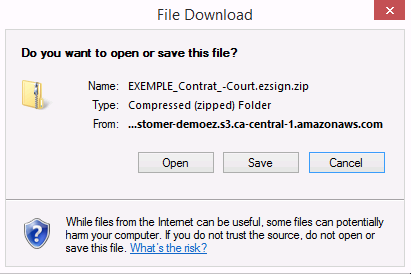
- Click on Open or Save.
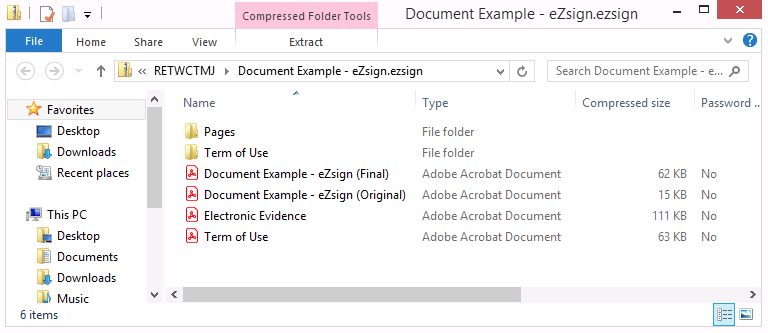
In the Zip folder, you will see:
- Folder "Pages": One file for each page of the unsigned document, in PNG format;
- Folder "Terms of Use": File of the terms of use, in PNG format;
- File of the original document: File of the original document (without signatures) in PDF format;
- File of the final document: File of the final document (with signatures) in PDF format;
- File of the electronic evidence in PDF format;
- File of the terms of use in PDF format.
Double-click on the desired file to display it.