

English
Configuration of the Reminder Frequency
It is possible to send an email to an external signer reminding them that they need to complete a signature in a document.
Here is an example of the email that will be sent:
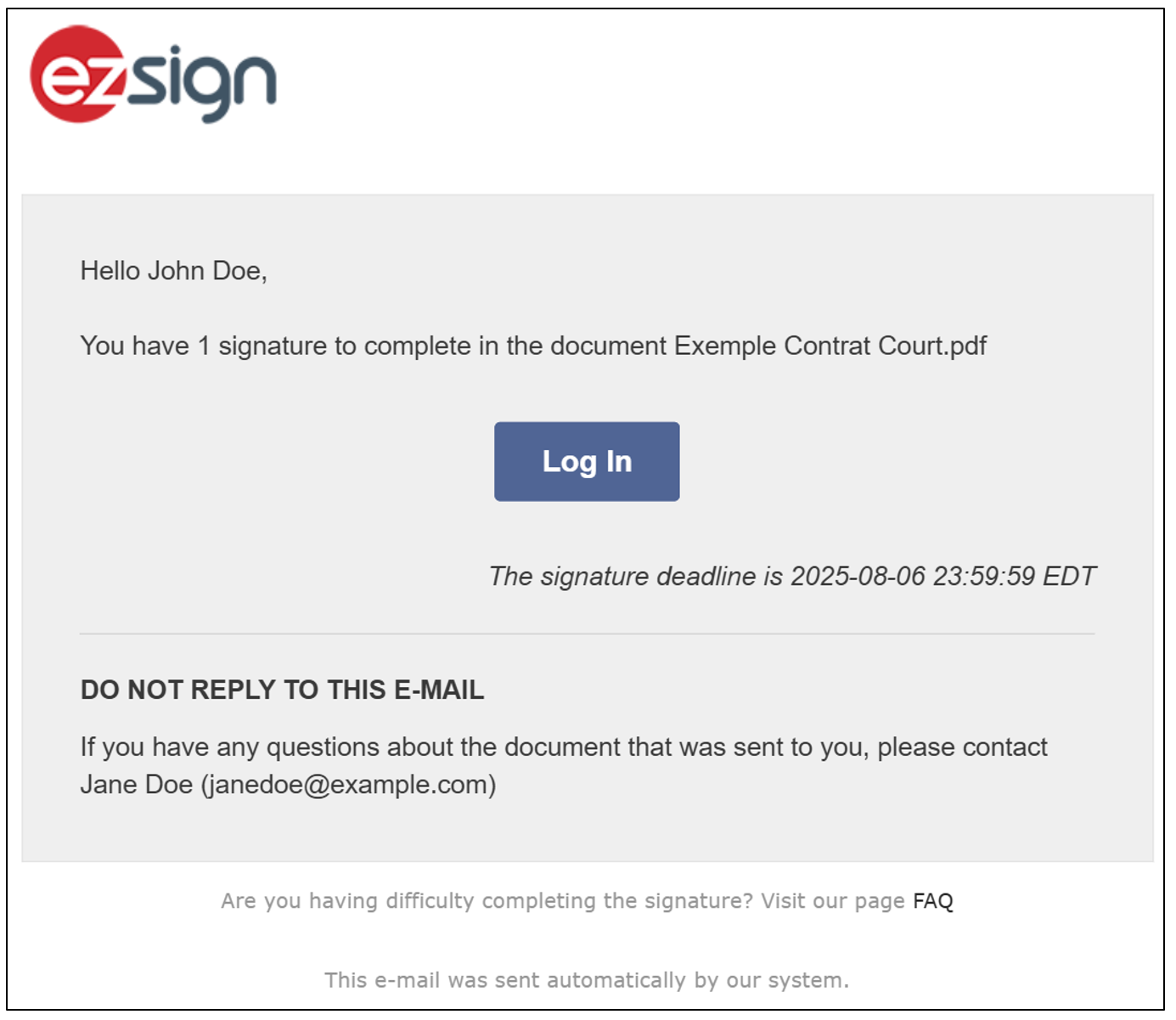
The reminder can be sent daily or once a week until all required signatures are completed on the document. It is also possible not to receive a reminder. The frequency of this reminder can be configured when you create/edit a shared folder type or a shared eZsign folder.
Configure the reminder frequency in a shared folder type
From the Administration menu >> Select Folder Types.
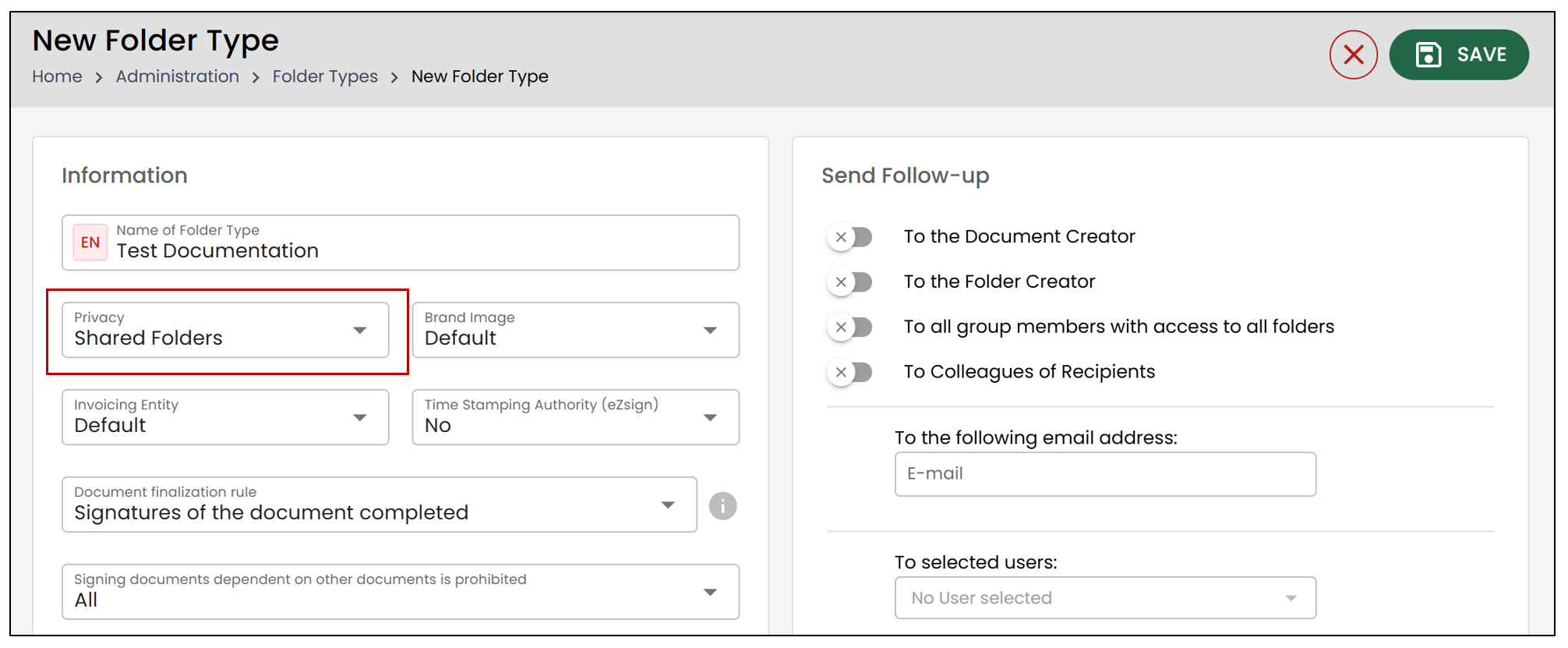
- If it is an addition of a shared folder type, click on New Folder Type. Then, select Shared Folders in Privacy.
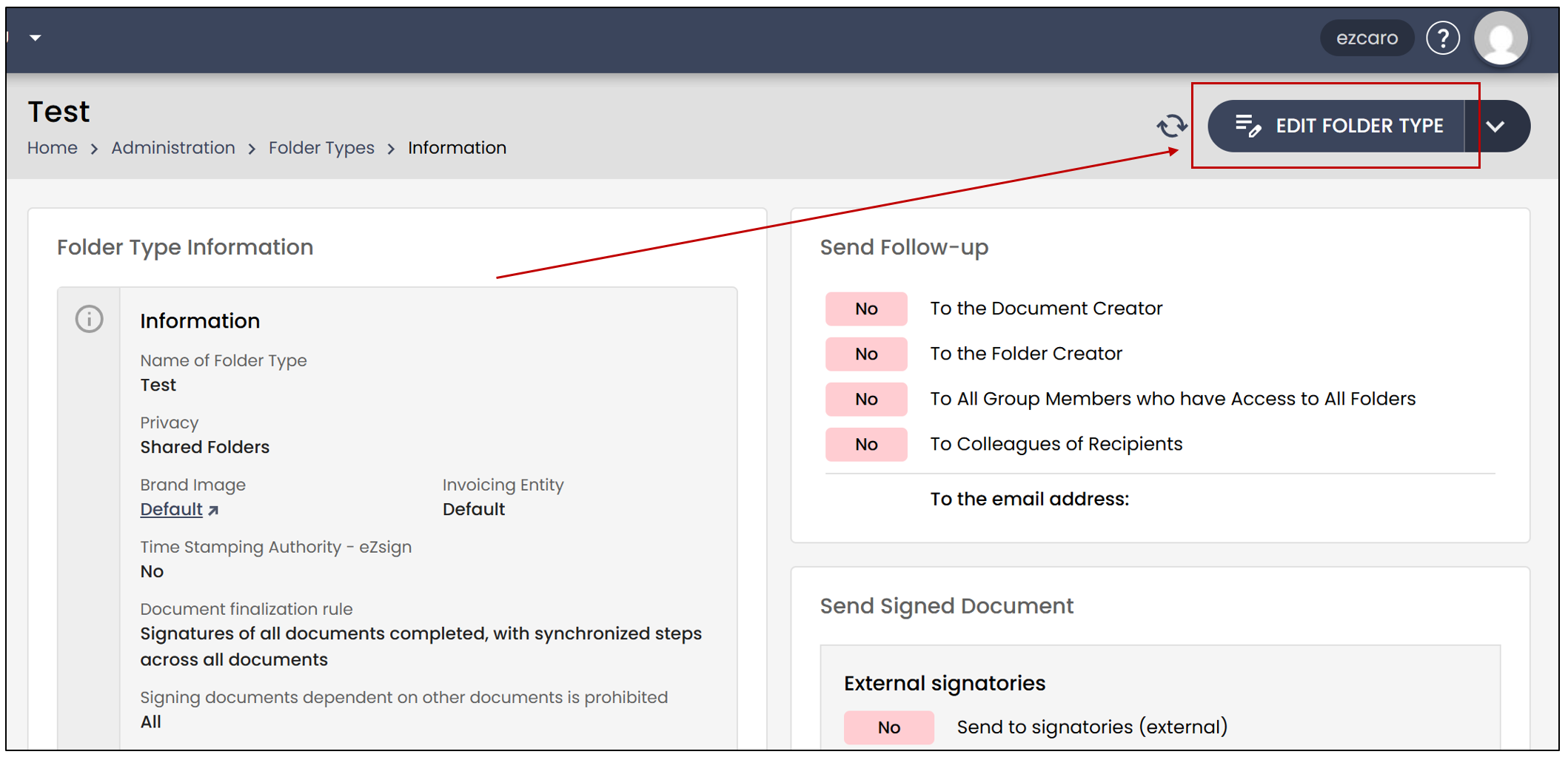
- If it is a modification of an existing shared folder type, click on Administration >> Select Folder Types >> Select the folder type in which you want to modify the reminder frequency. Then, click on Edit Folder Type.
- In the Reminders and Dates section, you will be able to modify the Reminder Frequency.
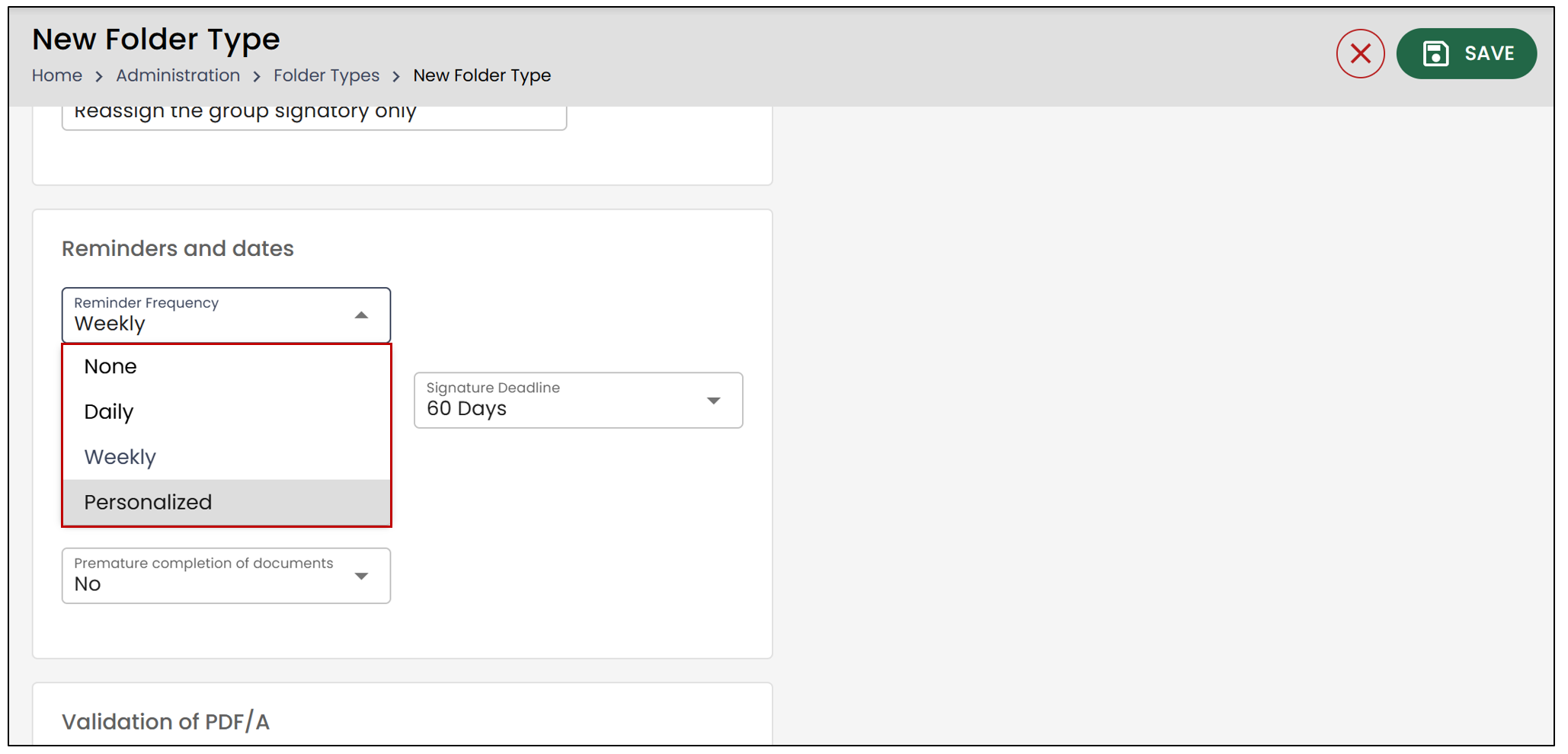
Select the desired Reminder Frequency.
None : No reminder will be sent, even if signatures are missing from the document.
Daily : The reminder will be sent every day until the document is signed.
Weekly : The reminder will be sent once a week until the document is signed.
Personalized : This frequency allows you to set up two reminders. You can select the number of Days before the first reminder is sent , as well as the number of Days between the following reminders , i.e., the recurrence of the reminders.
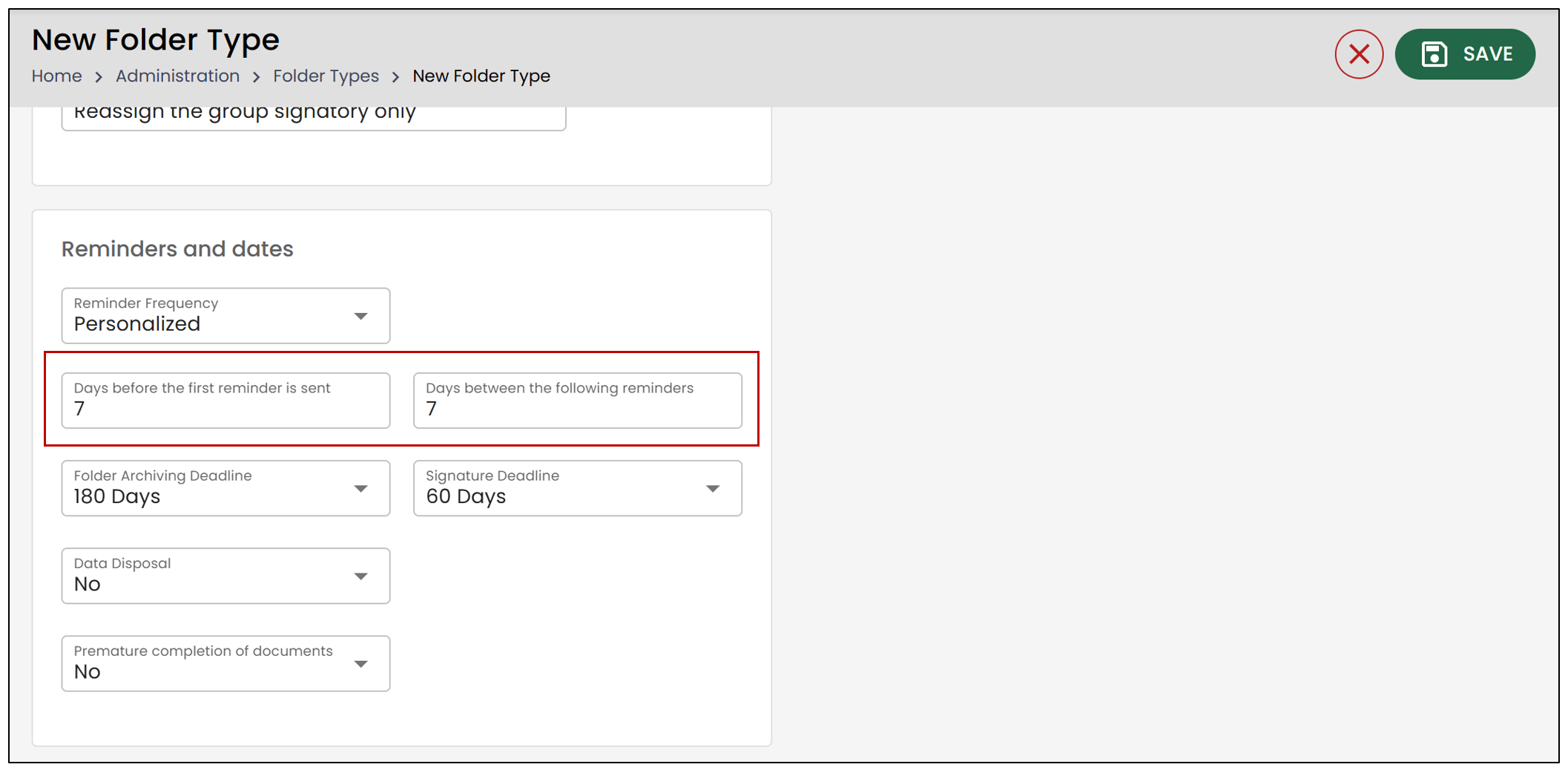
NOTE: For more information concerning personalized reminders, please see the article Configuration of personalized reminders in folders.
- When you are finished, click Save to record your changes.
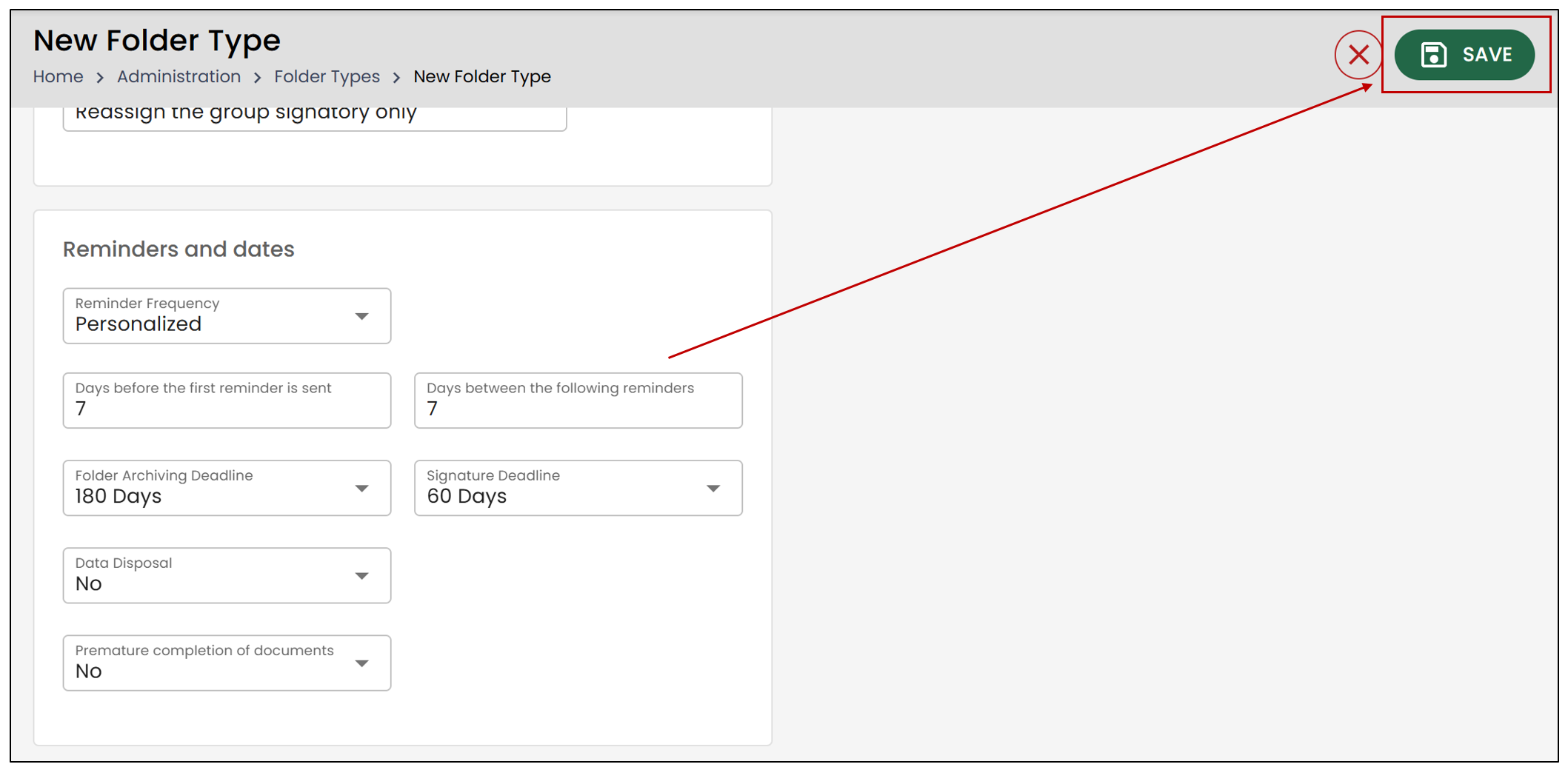
Configure the reminder frequency in a folder
You will also have the option to configure reminders directly within a folder.
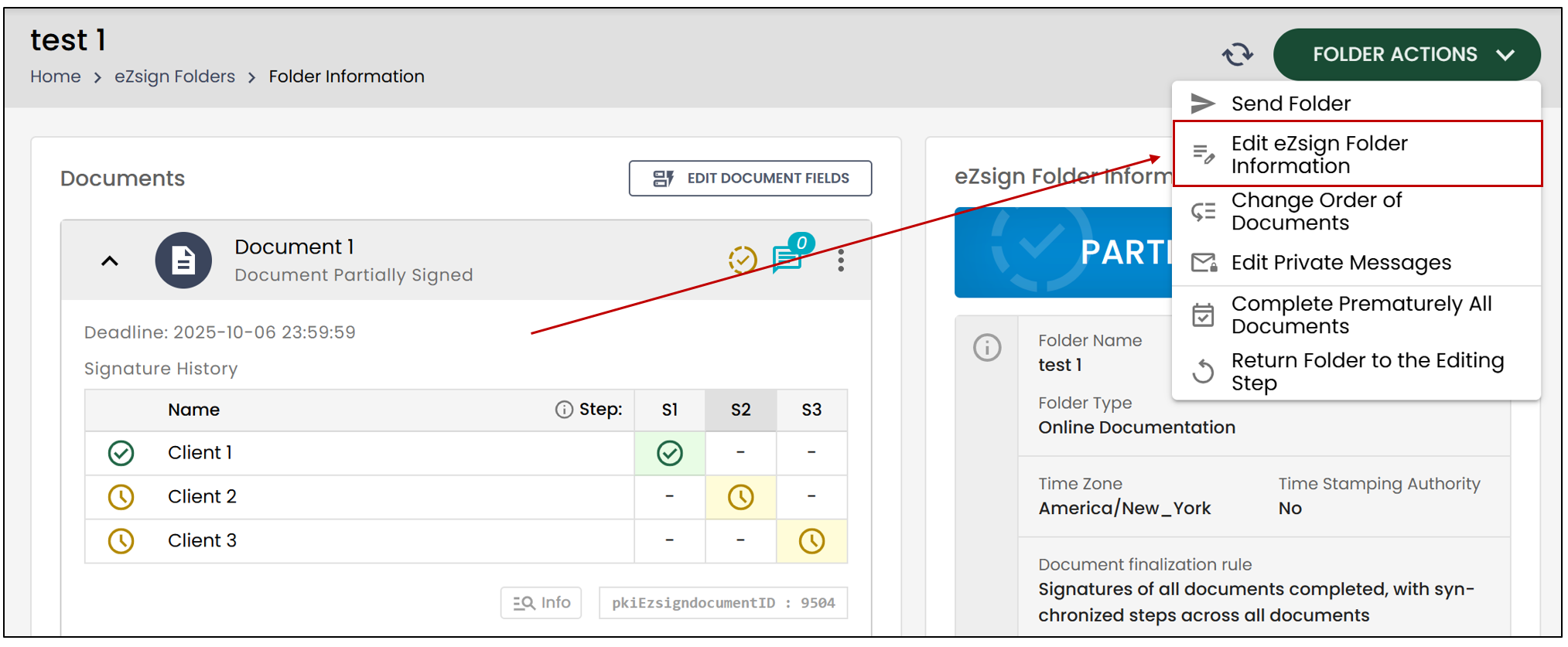
From the Administration menu >> Select eZsign Folders >> Select the folder in which you want to modify the reminder frequency.
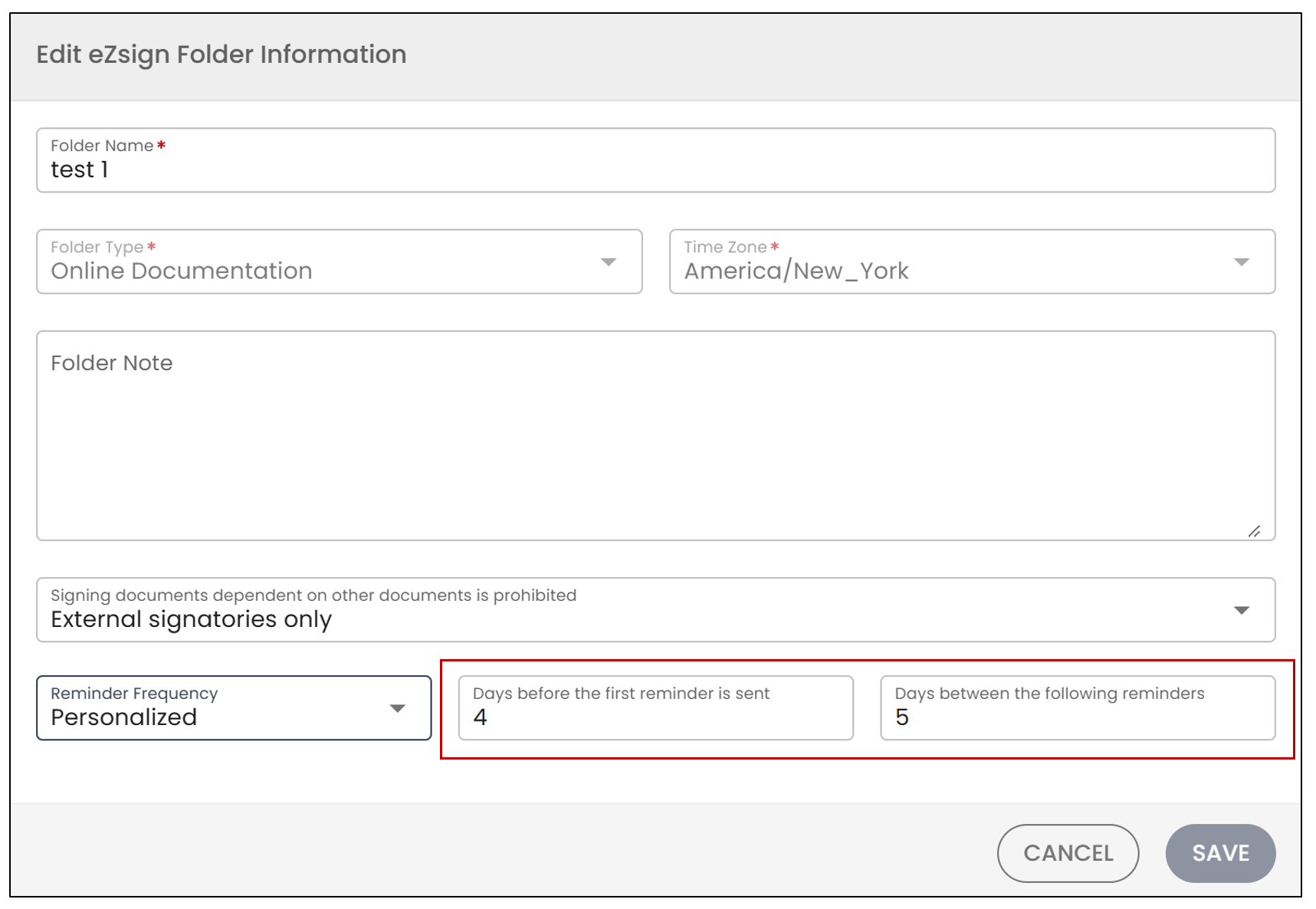
- Click on Folder Actions , then on Edit eZsign Folder Information.
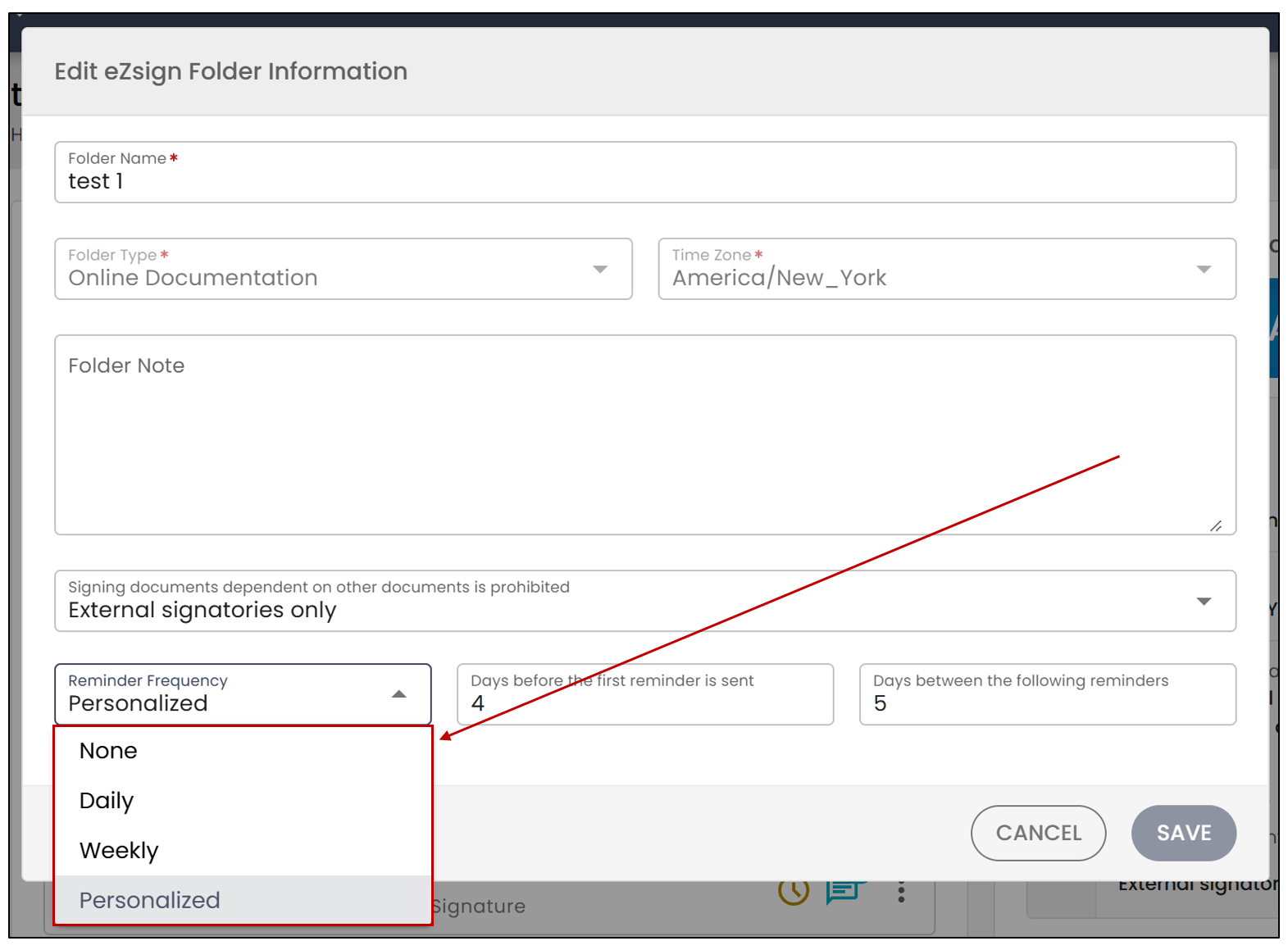
Select the desired Reminder Frequency.
None : No reminder will be sent, even if signatures are missing from the document.
Daily : The reminder will be sent every day until the document is signed.
Weekly : The reminder will be sent once a week until the document is signed.
Personalized : This frequency allows you to set up two reminders. You can select the number of Days before the first reminder is sent , as well as the number of Days between the following reminders , i.e., the recurrence of the reminders.
NOTE: For more information concerning personalized reminders, please see the article Configuration of personalized reminders in folders.
- When you are finished, click Save.
NOTE: The reminder frequency will be specific to this folder only.