

English
Set up InstanetForms for real estate brokers (eZsign Web version)
Before you can send documents from InstanetForms to eZsign, you need to set up InstanetForms for eZsign.
Set up InstanetForms for brokers using eZsign on the Web
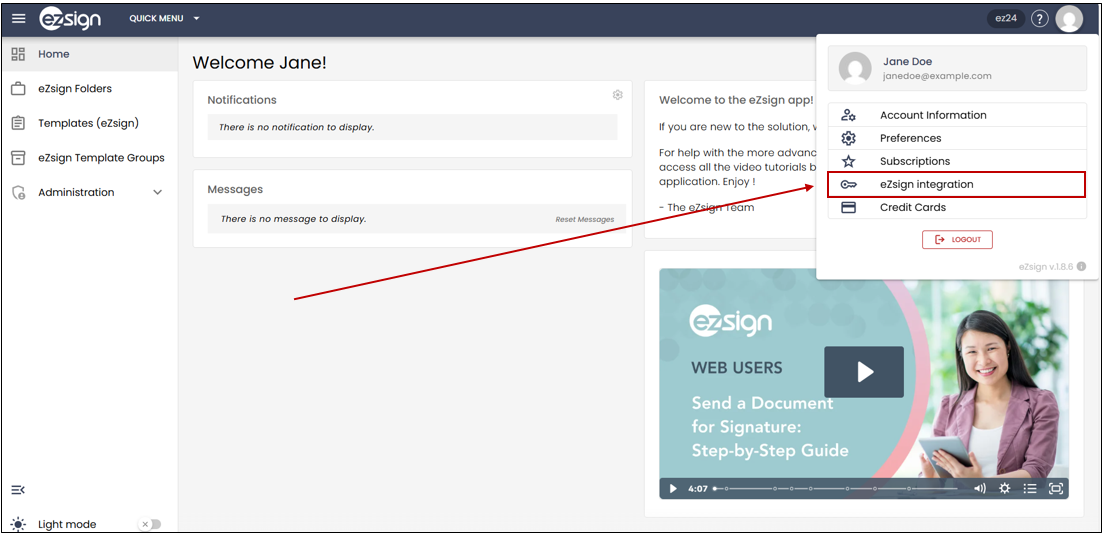
From the main menu in eZsign, click on your profile picture, then select eZsign Integration.
- If you don’t have a key, click Generate Key. If you already have a key, you can click Copy****Key.
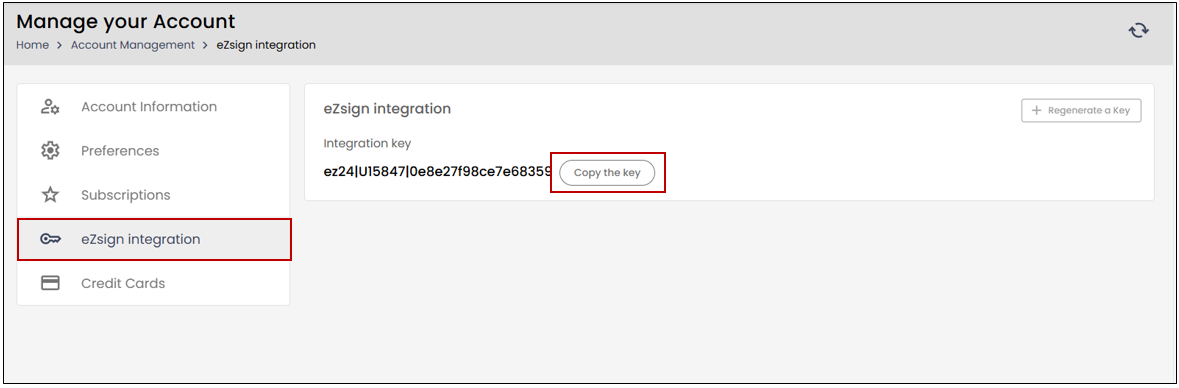
NOTE: If the key no longer works, you can select Regenerate Key.
- Click on the gray circle on the upper right corner, select Setup >> Integrations.
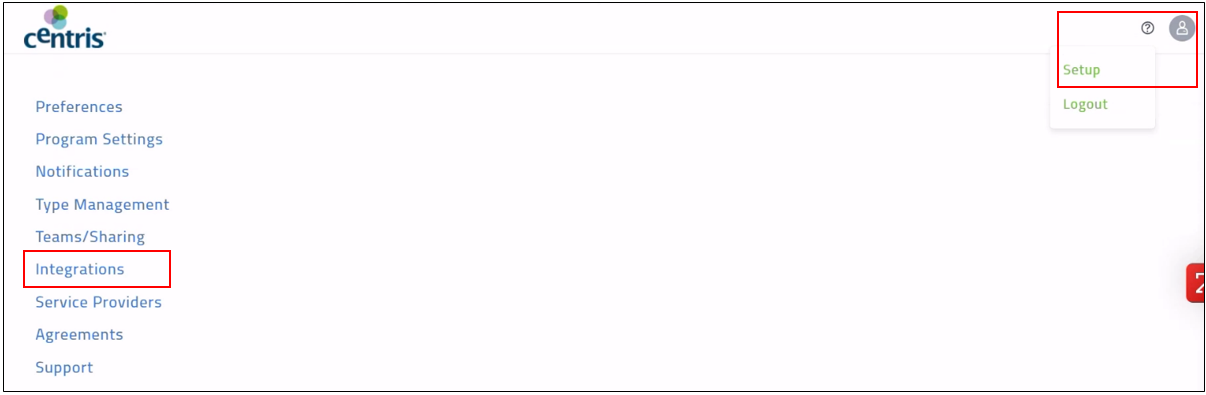
- Click on the arrow to the left of Signature Settings.
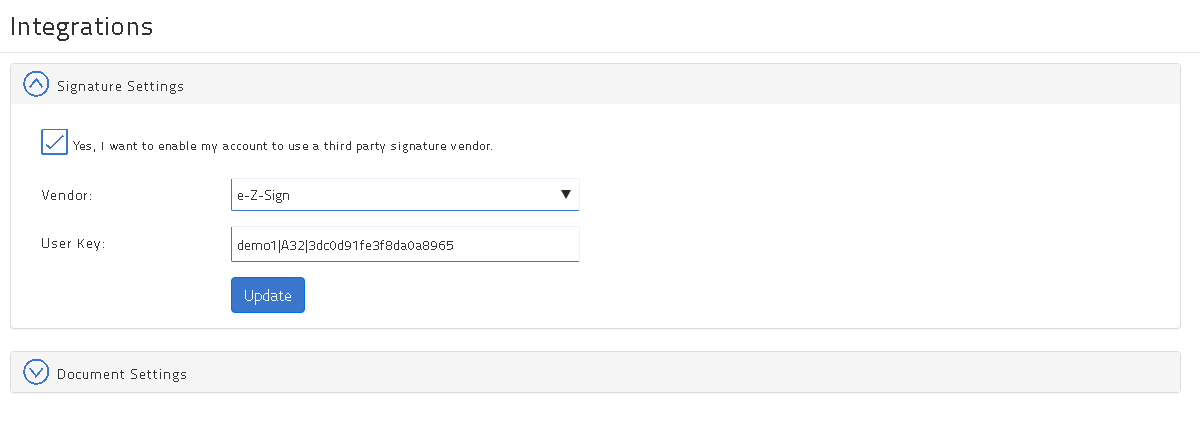
For the Vendor field, select "eZsign".
In the User Key field, paste the InstanetForms (Key).
Click on Update.

- The message Settings updated will appear at the top right of the page.
eZsign is now linked to InstanetForms.