
English
Difference Between eZsign Subscription Types
This article will show you how to adjust your eZsign plan from an Individual or Business and Enterprise account.
Individual Account
NOTE: If you have an ez20 or ez24 customer code, you have an Individual account.
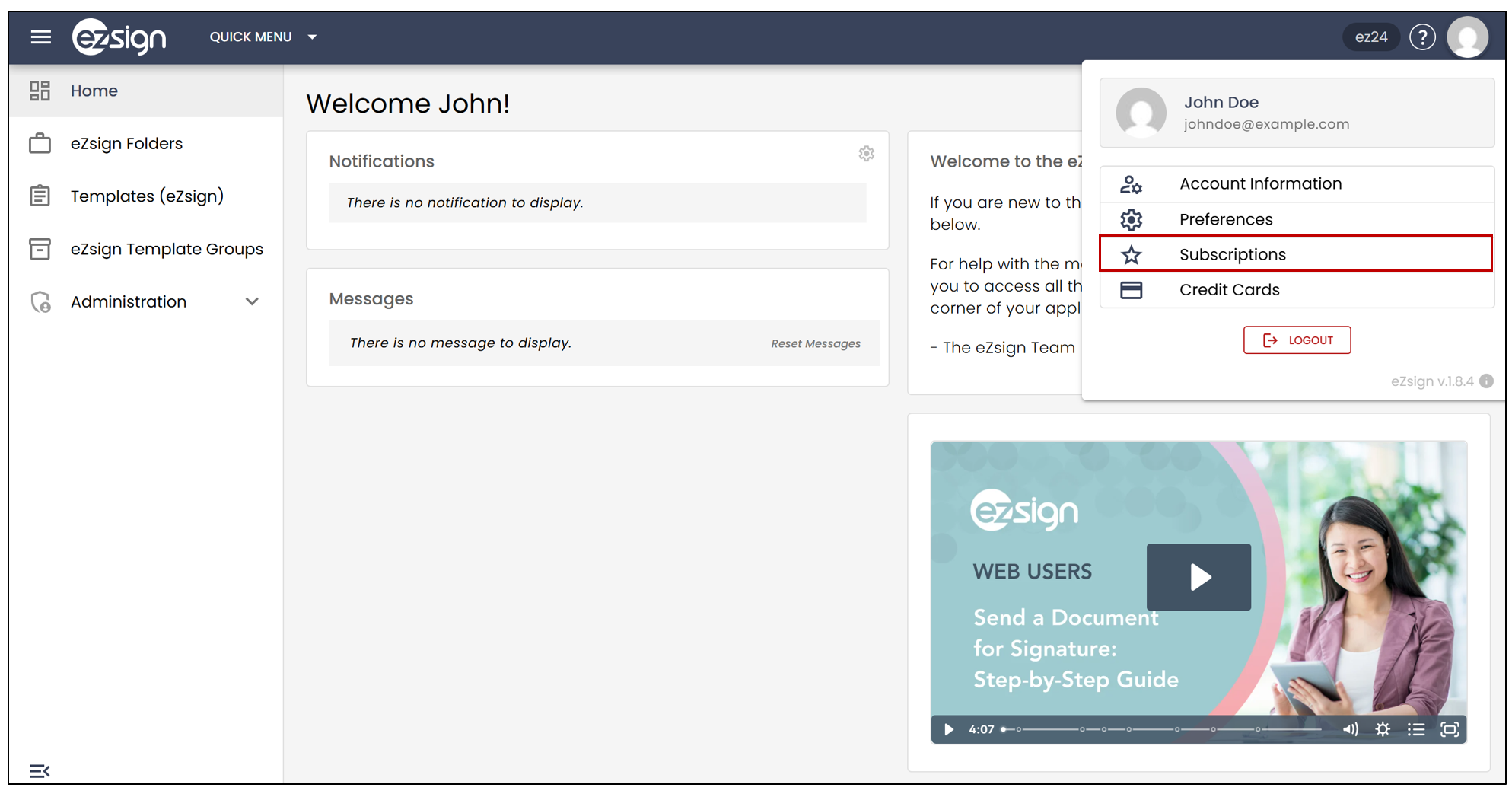
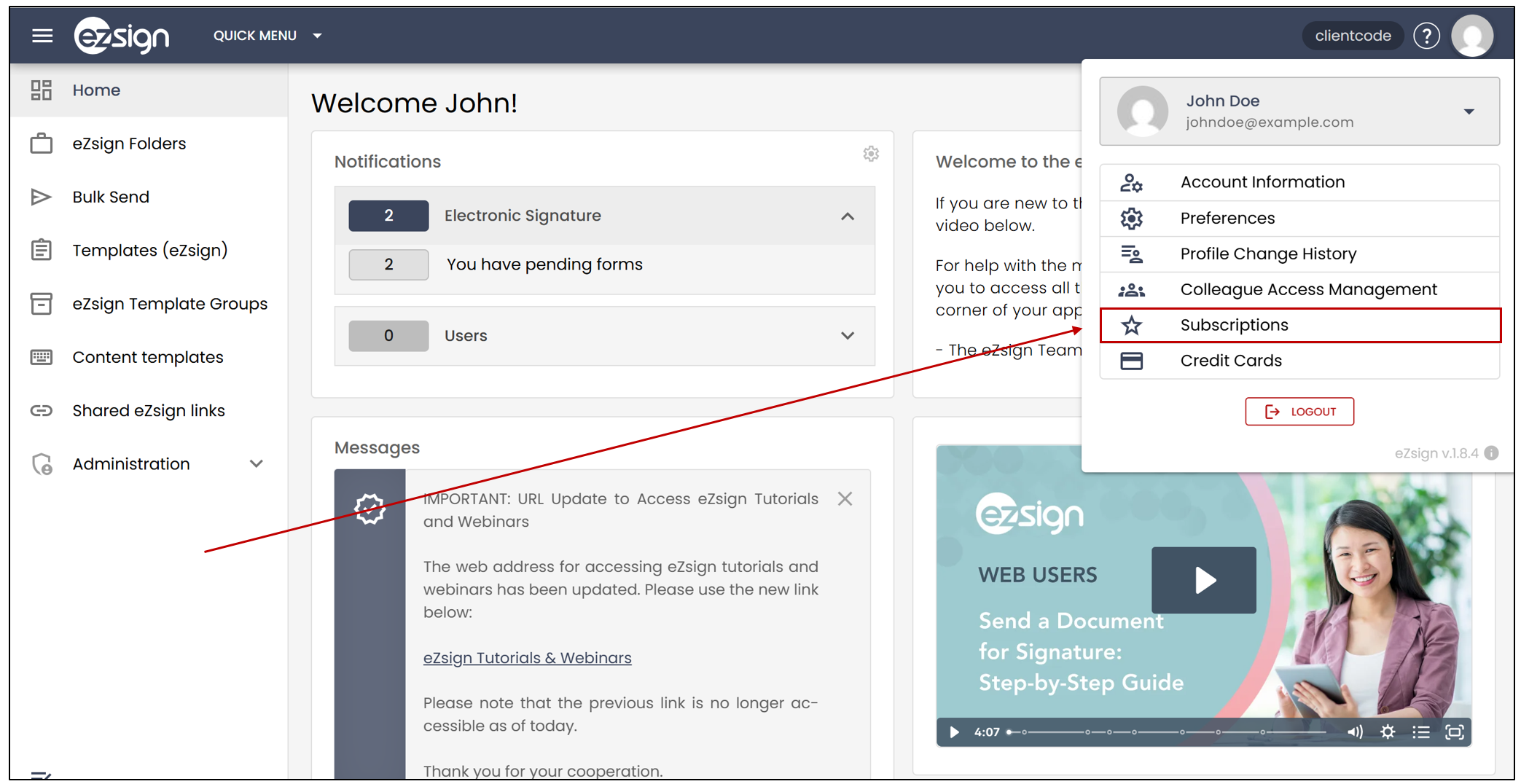
- To find out what type of account you have, click on your profile picture >> Subscriptions.
- The account type will be displayed under Current Plan.
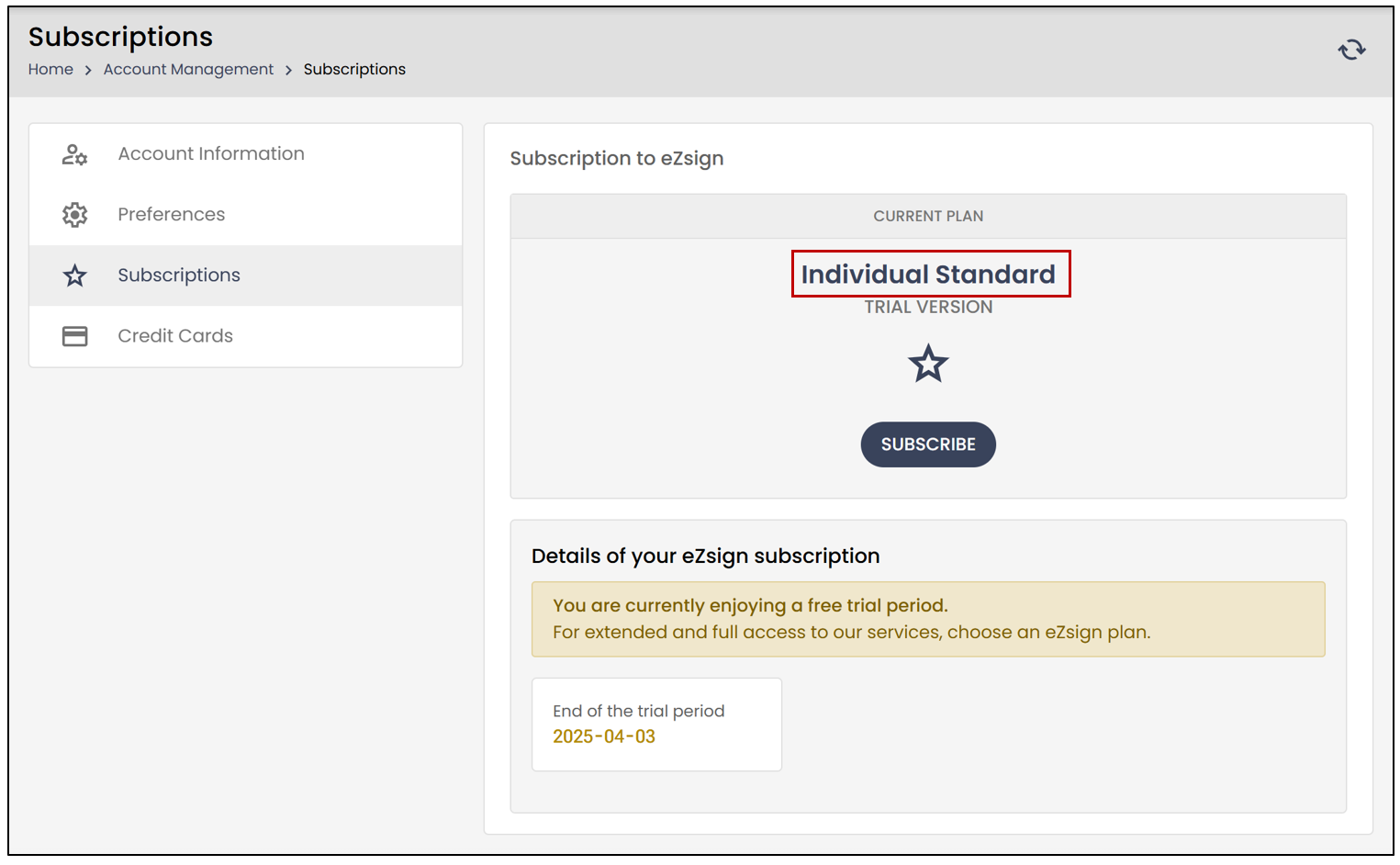
- If you wish to make changes, click on the Subscribe button. You will be able to view the different plans offered by eZsign.
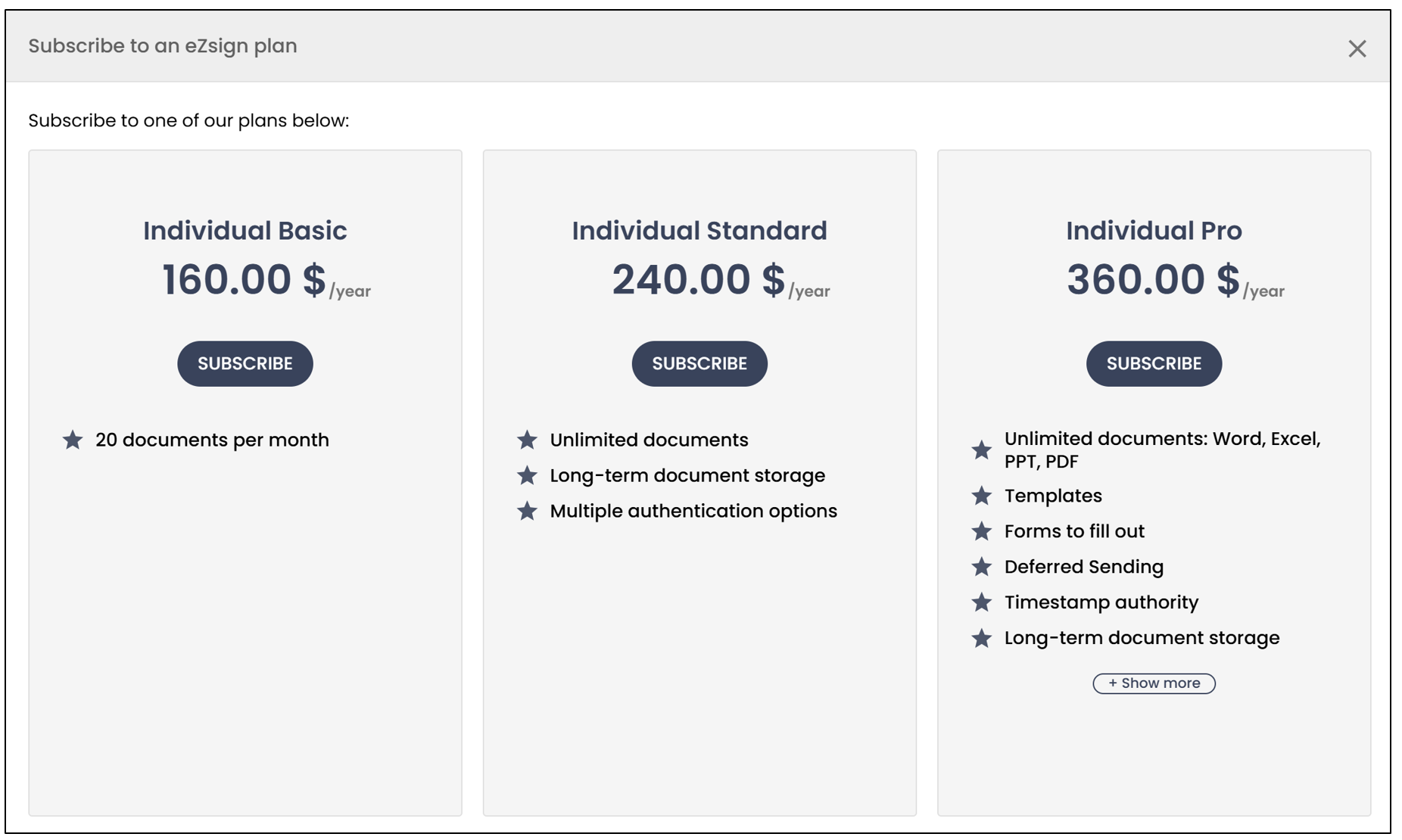
NOTE: To learn about the features of each plan, please visit our website: https://www.ezsign.ca/pricing/individual/
Business and Enterprise Account
NOTE: If you have a different customer code, you have a Business and Enterprise account.
- To find out what type of account you have, click on your profile picture >> Subscriptions.
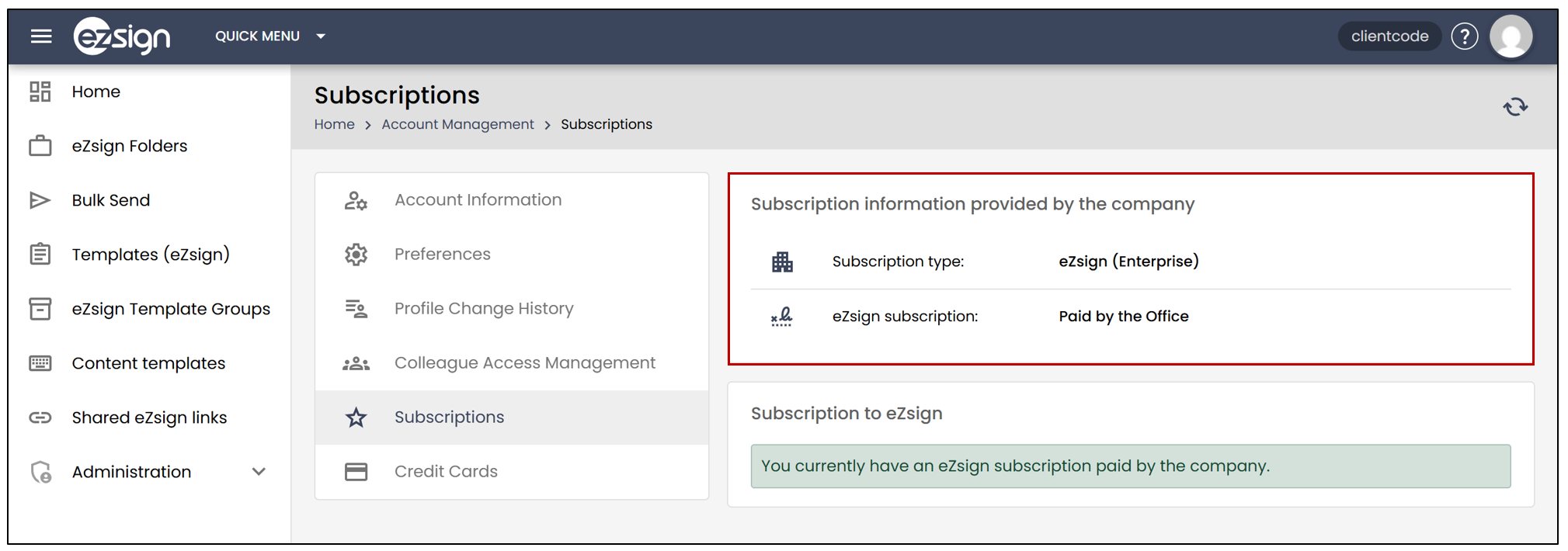
The account type will be displayed to the right of Subscription Type. In this example, the user has a Enterprise account Paid by the Office.
NOTE: There are 3 types of business accounts. To learn about the features of each plan, please visit our website: https://www.ezsign.ca/pricing/business-and-enterprise/
NOTE: If you have an Enterprise account, please contact your account administrator to change your plan.